• Home
  • Mobile
    • OS
      • Android
      • Apple IOS
      • One UI (Samsung)
      • Color OS (OPPO)
      • Funtouch OS (Vivo)
      • MI UI (Xiaomi)
      • Harmony OS (Huawei)
      • Oxygen OS (Oneplus)
    • New Releases
    • Gadgets
    • Rumoured
    • Update Notes
  • PC
    • Windows 10
    • Windows 11
  • Tech News
  • Apps
    • Android
    • IOS
    • Early Access
  • How to Guide
  • More
    • About us
    • Contact us
    • Privacy Policy
    • DMCA
*Welcome Everyone please note that out site has been moved to the New link with dedicated domain you can navigate Click Here to access our site all content will be found there and new content is being posted there as well.
*Click Here to go to New Site

 Samsung One UI 4.0 Feature details :


Like many Manufacturers samsung also used to develop and Provide it's Custom OS which is called as One UI. After Google releasing it's developer builds samsung develops it's customer ROM based on latest android version like the same google now comes to upgrade their qualified devices with One UI 4.0 based on Android 12, Let us see what samsung offers to it's users (Some Pictures used in this may be taken from Samsung's official site for better understanding the topic) :

We have already discussed about Android 12 features if anyone didn't checked the same go through this link and check it out because we are covering main changes which Samsung mentioned and we observed particularly.


Theming and Color Palette :

As part of Android 12 update, Android brings color palettes and customized theming option like the same samsung also brings color palette which is based on your wallpaper, Samsung used this feature and they developed as if a user sets a desired color tone, the AI recommends colors that best match the wallpaper. You can also change the same by trying new colors.


Widgets :

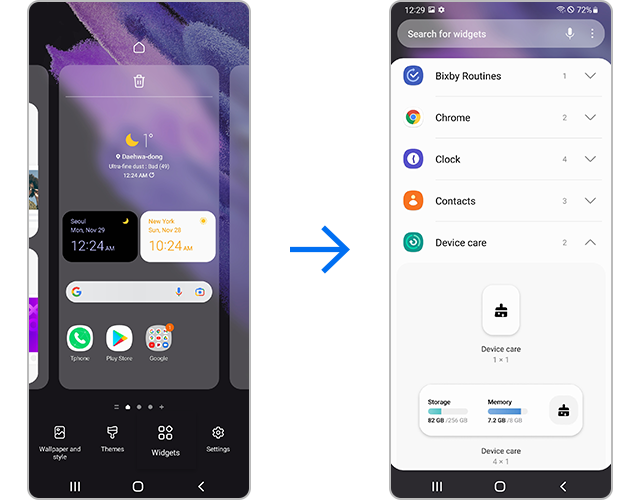
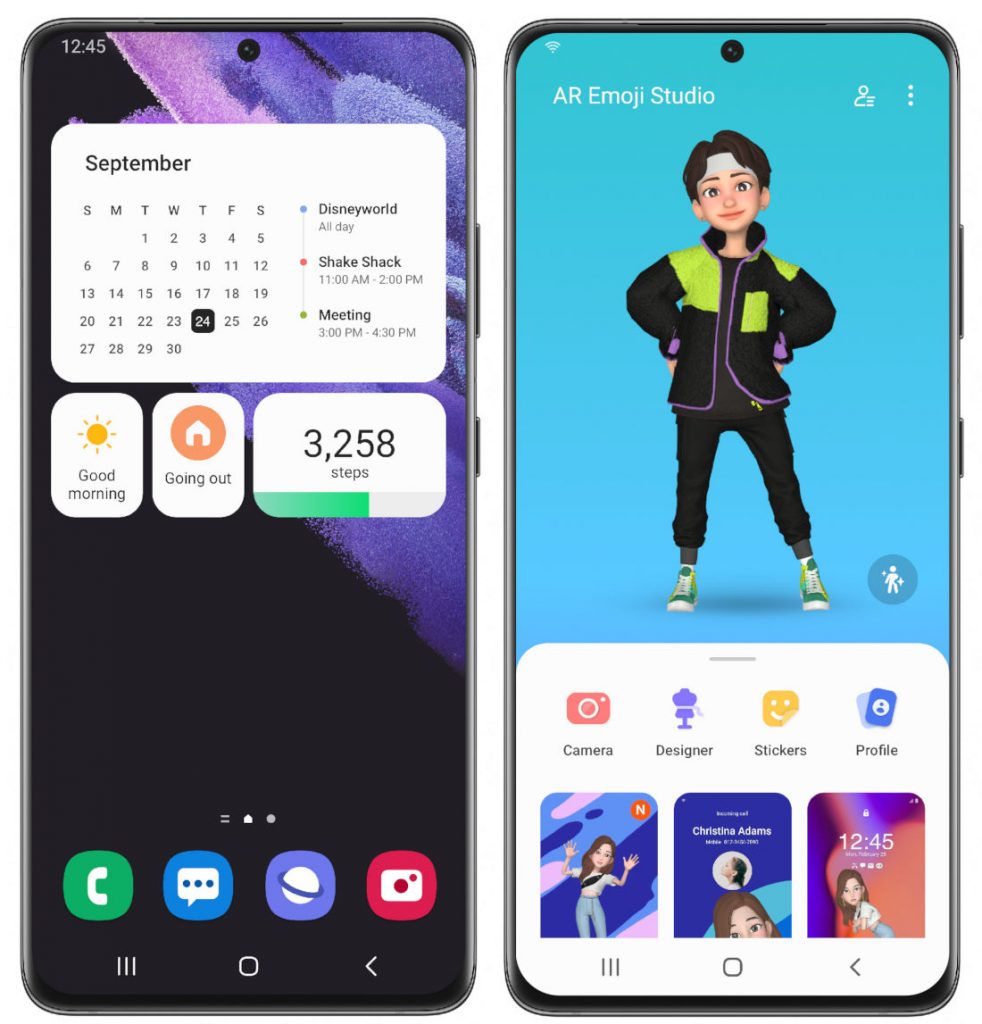
Samsung also brings widgets feature with latest update with which users can Try using the efficient and easily accessible widget feature. You can set widgets for each app and enable the feature.

Camera App :

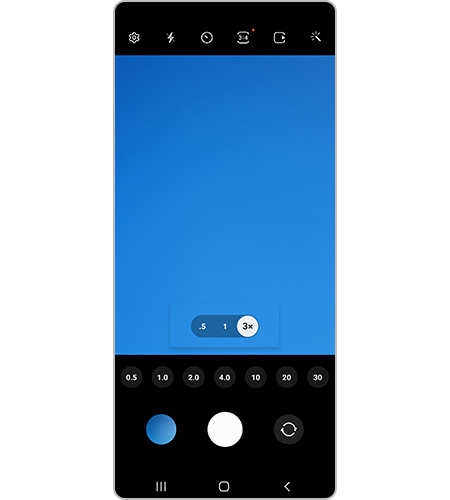
Samsung had bring updated Camera Application with this update the major update in application is The Scene Optimizer button now appears in Photo mode if the ambient light is low or if you are scanning a document. Settings for Portrait Mode and Night mode are now more intuitive. Samsung also has updated settings layout in the Pro Mode. The Pro Mode now feels more organized and has a cleaner look. The Zoom setting display has been changed from icons to numbers for easier understanding of the zoom magnification level.


Privacy :

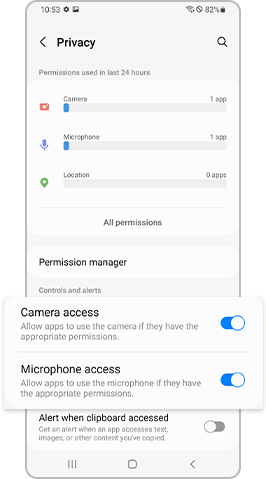
Samsung had updated Android 12's Mic and camera off features and included in the update as well. With a highly strengthened Privacy features, If you activate the Privacy setting, you can check which apps are using the Camera and Microphone in real time. Additionally, you can conveniently see detailed usage logs from the last 24 hours. From Settings, select Privacy, then enable Camera access and Microphone access.


Device Care :

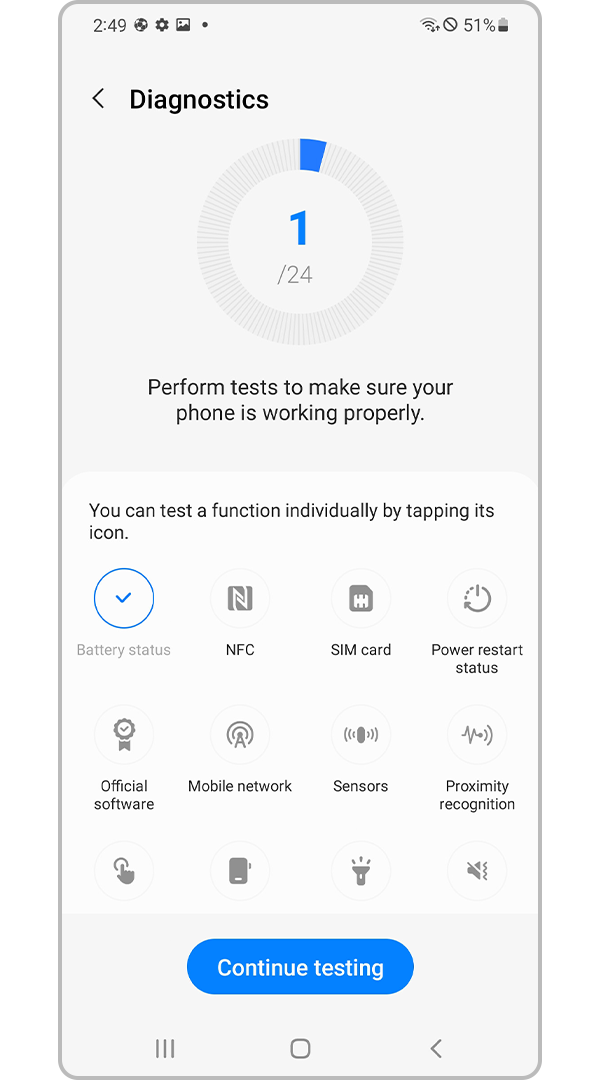
Samsung have developed and update the device care option which lets user check their battery details. Now users can also diagnose their mobile using this option. 

Keyboard Function :

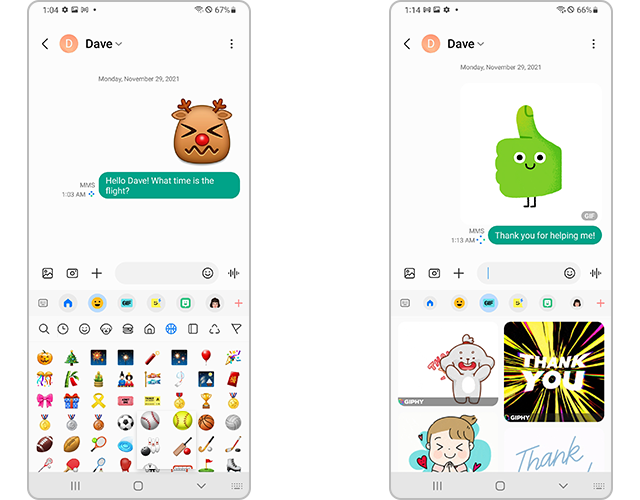
Now you can use wide variety of stickers and emoji's along with GIFs in chats

PIP (Picture in Picture) Mode :

Simply, this is the feature with which you can play a video overlay on your screen with minimized screen it is use since long time, with this update samsung updated this feature to resize and change place of the video on your screen.


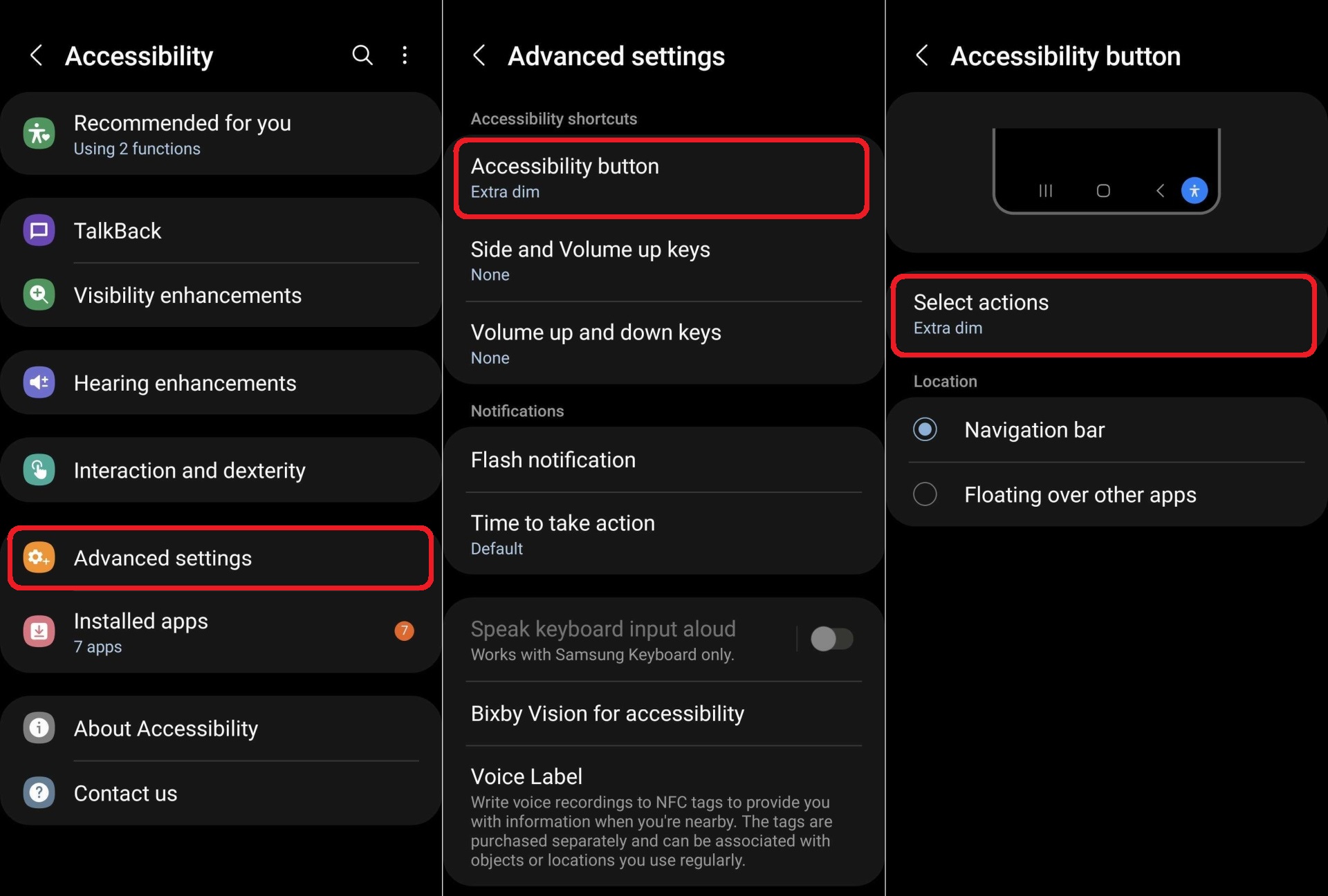
Extra Dim : 

This is the another feature which is introduced in Android 12 and samsung also used the same and added in Accessibility which will reduce screen brightness extra while using the mobile at night times.

These all are the highlighted features of Samsung's One UI 4.0 and there some few features which are small updates here they are :

Lock screen

With latest update you can change the audio output to a different device, like headphones or a speaker, right from the Lock screen.

A new Voice Recorder widget for the Lock screen lets you record voice memos without unlocking your phone.

A monthly calendar appears on the Calendar widget to help you keep track of your events from the 
Lock screen.


Always On Display

You can set the Always On Display turn on whenever you receive a notification.
New animated stickers are available.


AR Emoji

Now you can use an AR emoji as your profile picture in Contacts and Samsung account. You can choose from over 10 poses or create your own expressions.

Use your own drawings to create unique clothes for your AR emojis.

New AR emoji stickers that show only your face have been added.

Make cool dance videos with your AR emojis. Choose templates as well.


Quick panel

You can manage your notifications more comfortably with an enhanced layout and an integrated section of alert and silent notifications.

The brightness bar in the quick panel is larger so it’s easier to see and adjust.


Settings

Improved search features help you find the settings you need, when you need them. You’ll get 

The new Safety and emergency menu lets you manage your emergency contacts and safety information all in one place.

Dark mode

Wallpapers, icons, and illustrations are now darkened automatically to provide a more consistent look and more comfort for your eyes.

Charging effects

New visual effects appear when you start charging to help you check the charging speed.

Tips

Preview videos now appear when you enter the Tips app, helping you learn everything your Galaxy can do.

Sharing

You can customize the list of apps that appear on the share panel to reduce clutter, and scroll left and right across the lists of apps and people for quicker access.

When you try to share pictures that have problems like poor focus or framing, you’ll get suggestions for fixing them so your pictures always look their best.

Camera

Enjoy a simpler, clearer layout with a preview that shows only the information you need. The scene optimizer button will only appear in Photo mode if there’s low light or you’re scanning a document. 

Settings for Portrait and Night modes are now more intuitive.

Lens and zoom: See the zoom level on the lens icons for easier zooming, even in modes that only support one lens.

Video that never misses a moment: Recording now starts immediately after you press the Record button, instead of when you release it. In Photo mode, touch and hold the Shutter button to start recording a video. Drag your finger to the Lock icon to continue recording without having to hold down the button.

Single take: Add extra time while recording in Single Take so you don’t miss key moments. After recording is finished, the content selection menu has been improved to help you easily choose the perfect shots.

Pro mode: Settings have been reorganized for a cleaner look. When grid lines are on, horizontal level indicators help you line up the perfect shot.

Enhanced scan features: After scanning a document, you can zoom in for fine editing. When you scan a QR code, you can choose from several options depending on the type of QR code.

Gallery

Stories now show a video preview on the cover and a highlight video inside. You can also see where each picture in a story was taken on a map.

More options are available for sorting albums that contain lots of photos.

Album covers are now shown at the top of the screen when you open albums.

Search suggestions have been improved to help you find pictures and videos. Recent searches are also suggested.

Remastered pictures can be reverted to their original versions at any time, even after they’re saved.

You can now edit the date, time, and location that pictures and videos were taken.

Photo and video editor

Add fun emojis and stickers to your pictures and videos.

Create video collages by combining multiple images and videos from your Gallery.

The new Light balance option lets you edit the tone of pictures more easily.

The Highlight reel editor has also been enhanced to give you even more control.

Revert edited videos back to their original versions at any time, even after they’re saved.

Cut out a face, pet, building, or any other object from a photo and paste it onto a different one.


Multitasking

Pin the window option menu to the top of a pop-up window to make it easier to access.

Easily resize picture-in-picture windows with pinch zoom.

Keep your current app in view while using edge panels. Blurring has been removed to help you see more at once.


Digital Wellbeing

Keep your eyes on the road with the new Driving monitor. You’ll get reports on how much you used your phone and which apps you used.

Clock

The dual clock widget now shows different background colors for each city depending on whether it’s day or night.

Calendar

The new Calendar layout lets you add events instantly. You can also find events more easily with improved search features.

A new Home screen widget shows your monthly calendar along with today’s events.

Create shared calendars and invite other Galaxy users to join.

Messages

Photos, videos, web links, and other content will now appear in search results in the Messages app.

Device Care

The main screen shows battery and security issues, making it easier to solve problems quickly.

Your phone’s overall status is shown as an emoji, helping you check the status at a glance.

Now you can get right to Samsung Members diagnostics from Device Care. If something seems wrong with your phone, try the diagnostic tests to find out what the problem is and get suggestions for solving it.


Bixby Routines

More conditions are available for your routines. Start a routine during a call or when a certain notification arrives.

Make your routines do more. You can now turn on Enhanced processing with a routine. There are also more options for connecting and disconnecting Bluetooth devices.

Reorder actions by touching and holding actions on the edit page. Advanced options have also been added to let you wait before an action starts, confirm actions, and more.

We’ve removed restrictions for some combinations of conditions and actions so you can do even more with your routines.

Create custom icons for your routines using the camera or an image from gallery.

Accessibility

Perform actions more quickly by moving your mouse pointer to one of the 4 corners of the screen.

Adjust contrast and size at the same time with custom Display mode (High contrast or Large display).

Access accessibility features more quickly with a floating button that’s always available.

More visibility options are available to meet your needs. You can reduce transparency and blur or make 
the screen extra dim.

Set different colors for each app’s notifications so you can easily determine where notifications are coming from.

Magnifier window has been merged with the new Magnification menu, giving you more options and more control for magnifying content on the screen.

Samsung Health

A new tab layout at the bottom of the screen helps you access the features you need more easily. The new My page tab shows your profile, weekly summary, badges, and personal bests.

For your gender selection, you can now choose “Other” or “Prefer not to say.”

It’s now easier to invite your friends to team challenges by sending a link. Additional snacks have been added to the food tracker.

Privacy

See which apps are accessing sensitive permissions such as Location, Camera, or Microphone in 

Permission usage history. You can deny permissions for any apps you don’t feel comfortable with.

A green dot will appear in the upper right corner of the screen when any app is using the camera or microphone so you can see if an app is recording you without your consent. You can also use quick panel controls to temporarily block all apps from using the camera or microphone.

Take more control over apps that want to access your location. For apps that only need to know your general area, such as weather apps, you can allow access to your approximate location so they can’t determine exactly where you are.

Sometimes you need to copy sensitive information, like passwords or credit card numbers, but you don’t want it to fall into the wrong hands. You can choose to be notified any time an app accesses content copied to the clipboard in another app. 

My Files

Search features have been improved. You can still find the files you’re looking for, even if there’s a typo.

The Recent files area has been expanded to help you more easily find files you’ve used recently.
Samsung Internet

Get more search suggestions when you enter text in the address bar. Results will appear with an all new design.

The new search widget helps you find what you’re looking for, right from the Home screen.

To protect your privacy, Samsung Internet will automatically start in Secret mode if you were using Secret mode during your last browsing session.


These are the features and upgrades of samsung's One UI 4.0, check when your device getting this update from here. 


That's for the story guys, Hope you get required information. If you need any information regarding Tech you can ask us in comments or through any of our social handles and you can get update about latest articles in social handles as well.

 Possible Releases in Apple Event in March :


Apple, One of the largest and widely known brands in the world, Apple possibly conduct 2 launch events every year to unveil their products. In the same way a rumor is making rounds is that Apple is going to conduct a launch event in March month and launch some of their products. We can also guess that apple is going to launch their next generation apple iPhone SE, Here is what we know so far about this rumor.

iPhone SE 3 :

As per reports Apple is going to launch their Next gen iPhone SE 3 which is a Successor of iPhone SE 2020 mobile. There are rumors making sounds in corners is that new iPhone SE may comes with iPhone X like notch display with A15 bionic chipset which one of the most powerful chipsets in mobile devices. You can expect this version with 5G network support and also price may be under started around 40k which makes device as affordable device.


New iPad Air :

Along with iPhone SE 3 apple possibly may launch their iPad Air, for now there isn't any confirmed specs for this but apple will launch an upgraded version of iPad air for sure, We have to wait till official notice by Apple about this.


All New Mac :

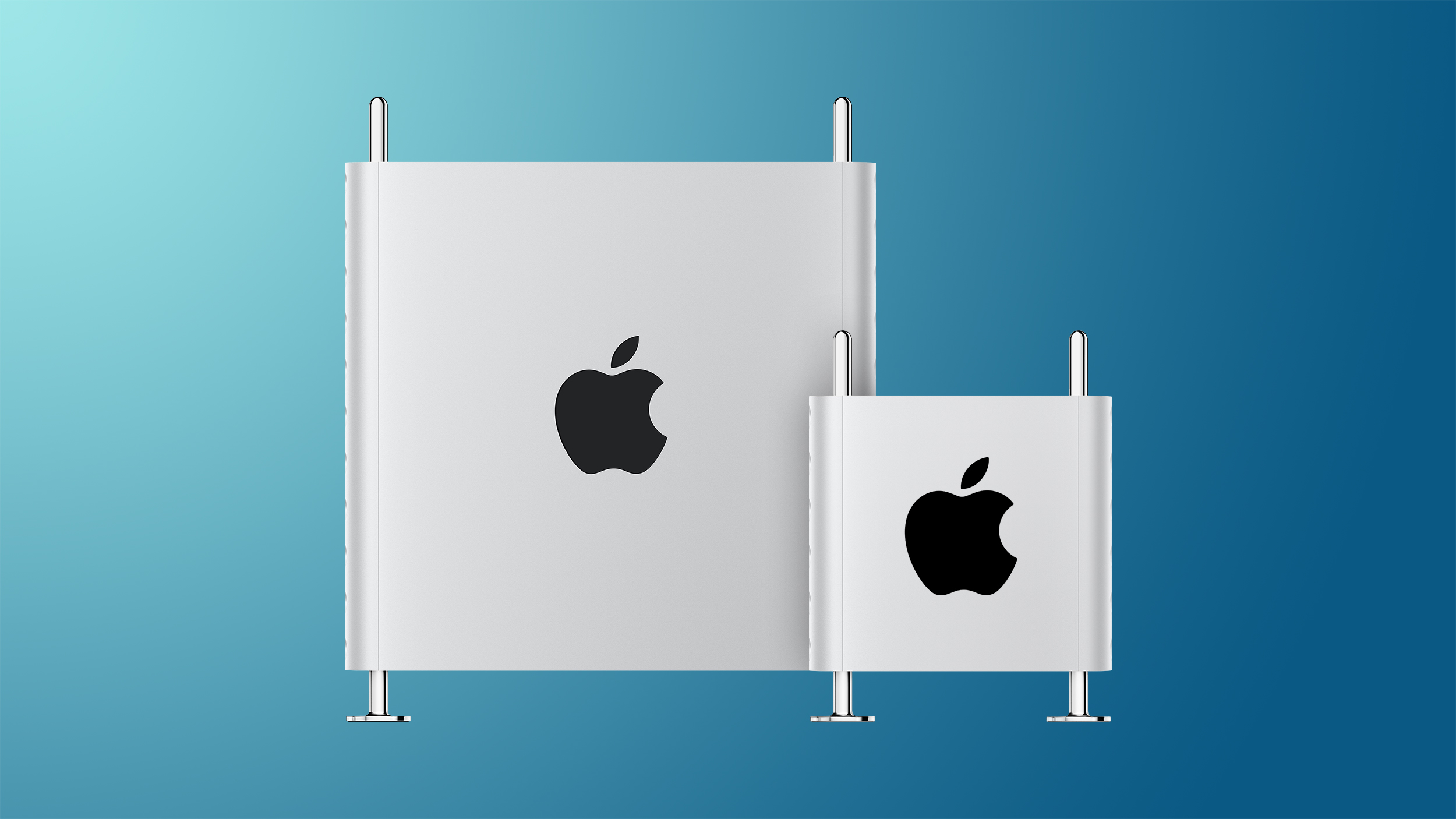
The rumors about an all new Mac with Apple's custom Silicon is making more noise from many days, we have to wait and watch whether apple may conduct an event and launch these products.


These are all the products rumored to be launched in an apple event which may be happened around March 8th of this year, So have look on our blog and on apple to get latest updates about this.


That's for now, Hope you find this information useful. have look at out social handles and if you want in any of our group in social and messaging apps which let you know about all out publishes. 

 OPPOs Color OS 12 All Features :


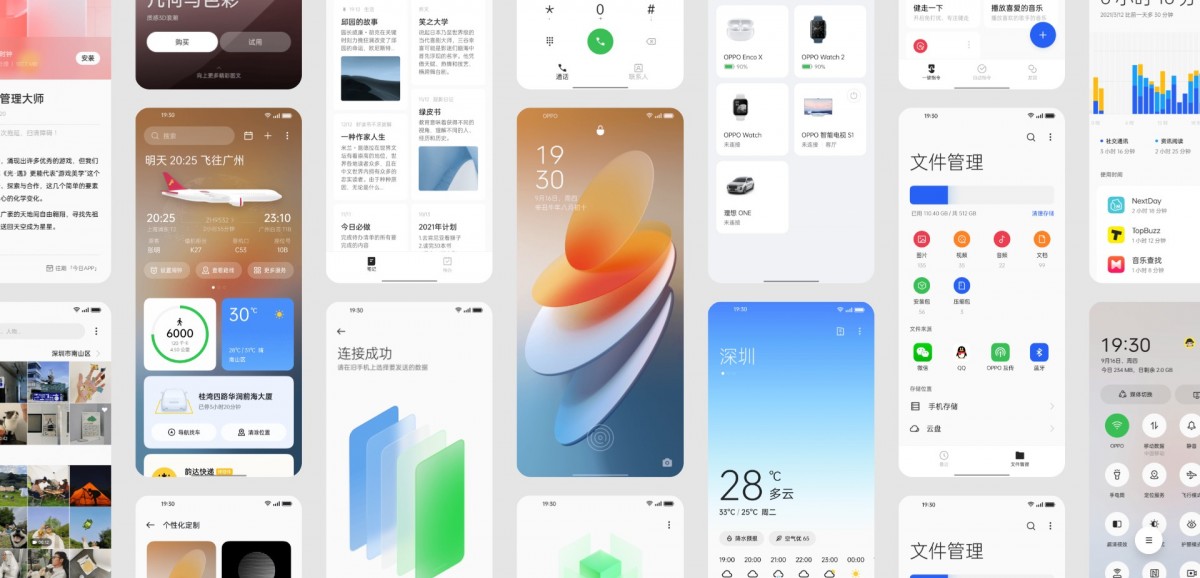
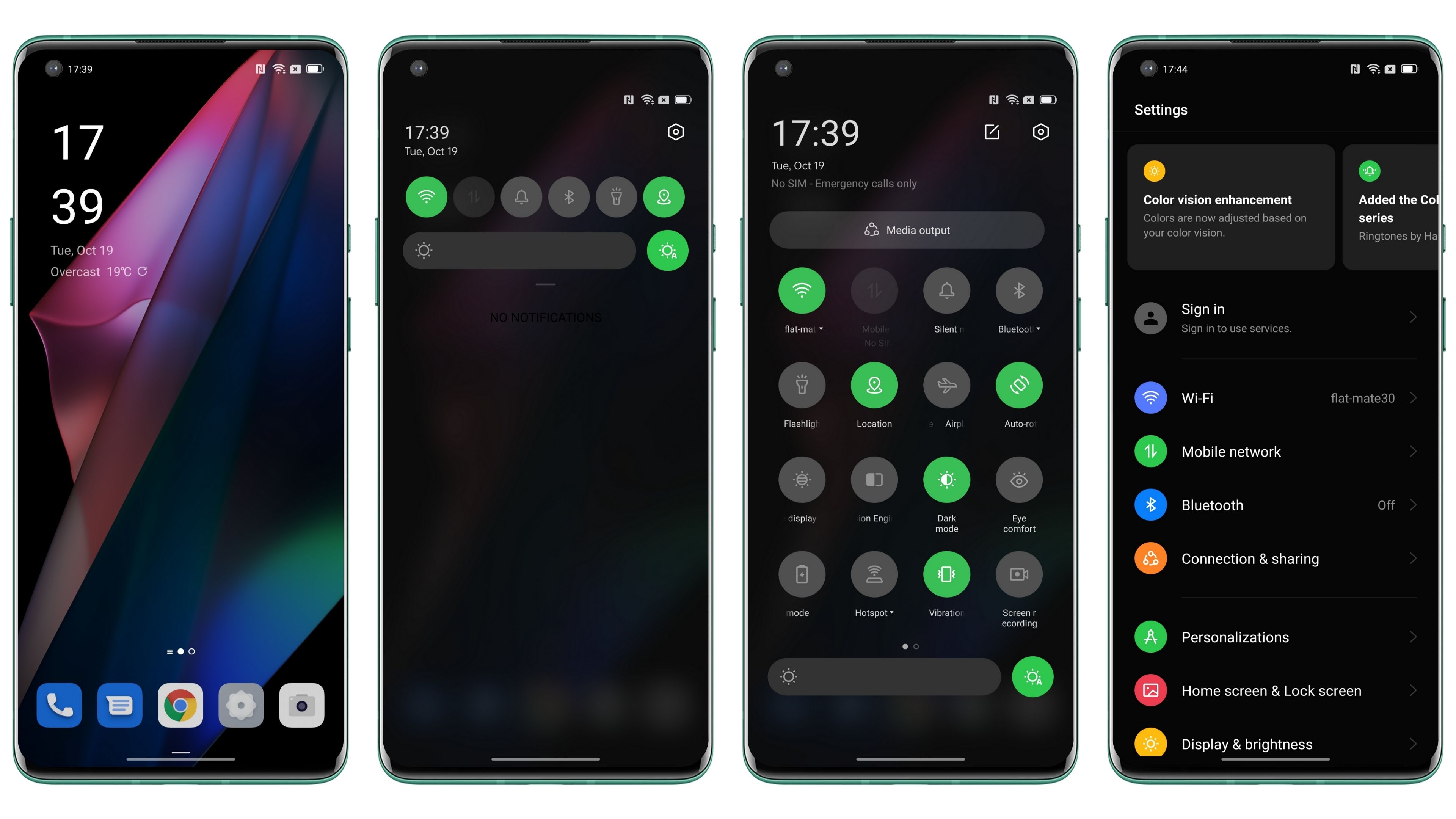
We all know that oppo has it's own customer ROM which is called as ColorOS which is based on Android OS. Every year after Android officially launched oppo also roll out it's OS based on latest android release. In this process now oppo is about to roll out their ColorOS 12 which is based on Android 12. So, let's get into detail and find what oppo is offering to their users with it's latest update.

Design :

=> In terms of design OPPO had made less changed to their design but maintained same design through out the system with minimal UI changes as compared to it's previous iterations. 


=> ColorOS 12 comes with new translucent 3D app icons for sharpest-ever interface design.  Also animations remain a big part of using device, ColorOS 12 brings with it a new animation engine that oppo has promised to be something different. The company claims the new engine utilizes the law of inertia, so they don’t stop suddenly and feel smoother. the animations in certain areas have improved. 


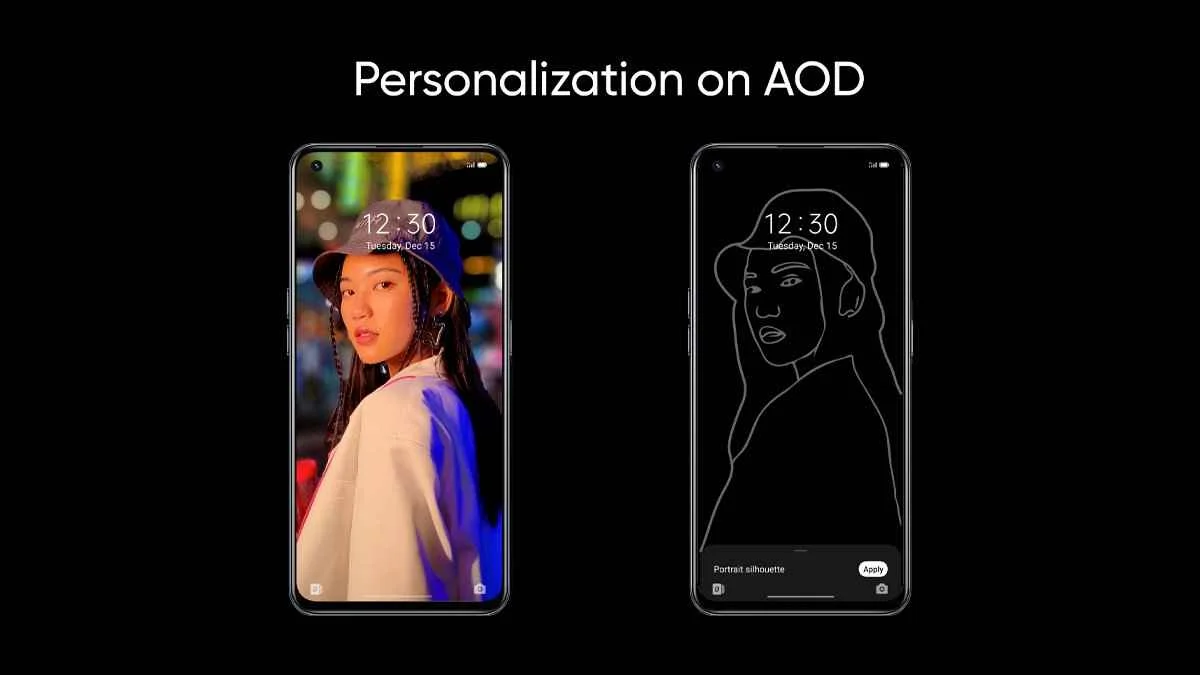
=> Always-on Display 2.0 is now more customizable than ever. Users can Create and place unique Omoji's, text, patterns, colors and information with complete flexibility. Also this version introduced Portrait Silhouettes which takes an image and creates an artistic outline for you.


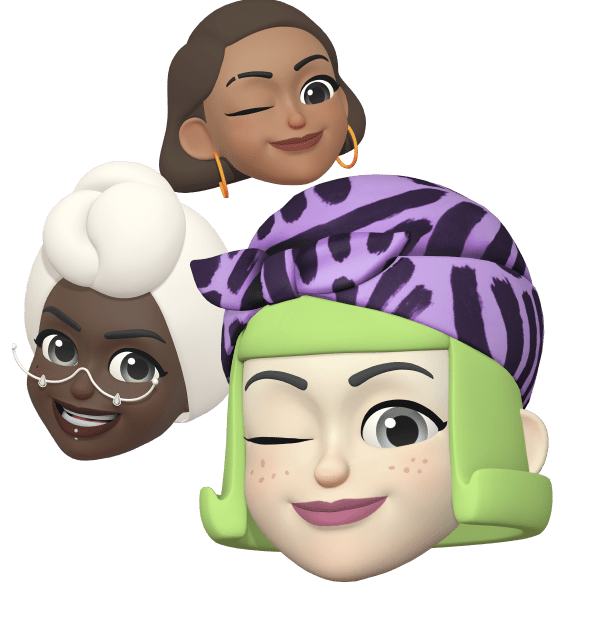
=> Omoji, which is OPPO verison of animoji which comes with Advanced face capture algorithm that uses 77 facial feature points and 200+ stylistic elements to render a stylized reflection of users in real-time. Omoji from ColorOS 12 looks more like real than before.


=> Wallpaper Theming : As we all know that Android 12 comes with a newly introduced wallpaper theming engine called Material You. For those who doesn't know, wallpaper theming in Android allows the phone to extract colors from the wallpaper and create a themed palette. Users can then apply this as the phone’s theme across the entire design. ColorOS 12 features wallpaper theming and gives users the option to pick colors from the set wallpaper and creates an entire theme around it which is more comfortable to a user.


Convenient and Efficient :

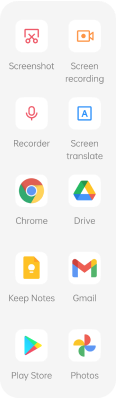
=> Smart Sidebar, From years oppo is upgrading it's smart sidebar and now it is able to translate integrated with Google Lens, translates from foreign languages into your own with just a tap, with up to 100 languages supported. It can even translate text in images.


=> Phone Manager, now able to do smart things like optimizing performance and clearing junk without interruption. Extend battery life and expand storage with just a tap.


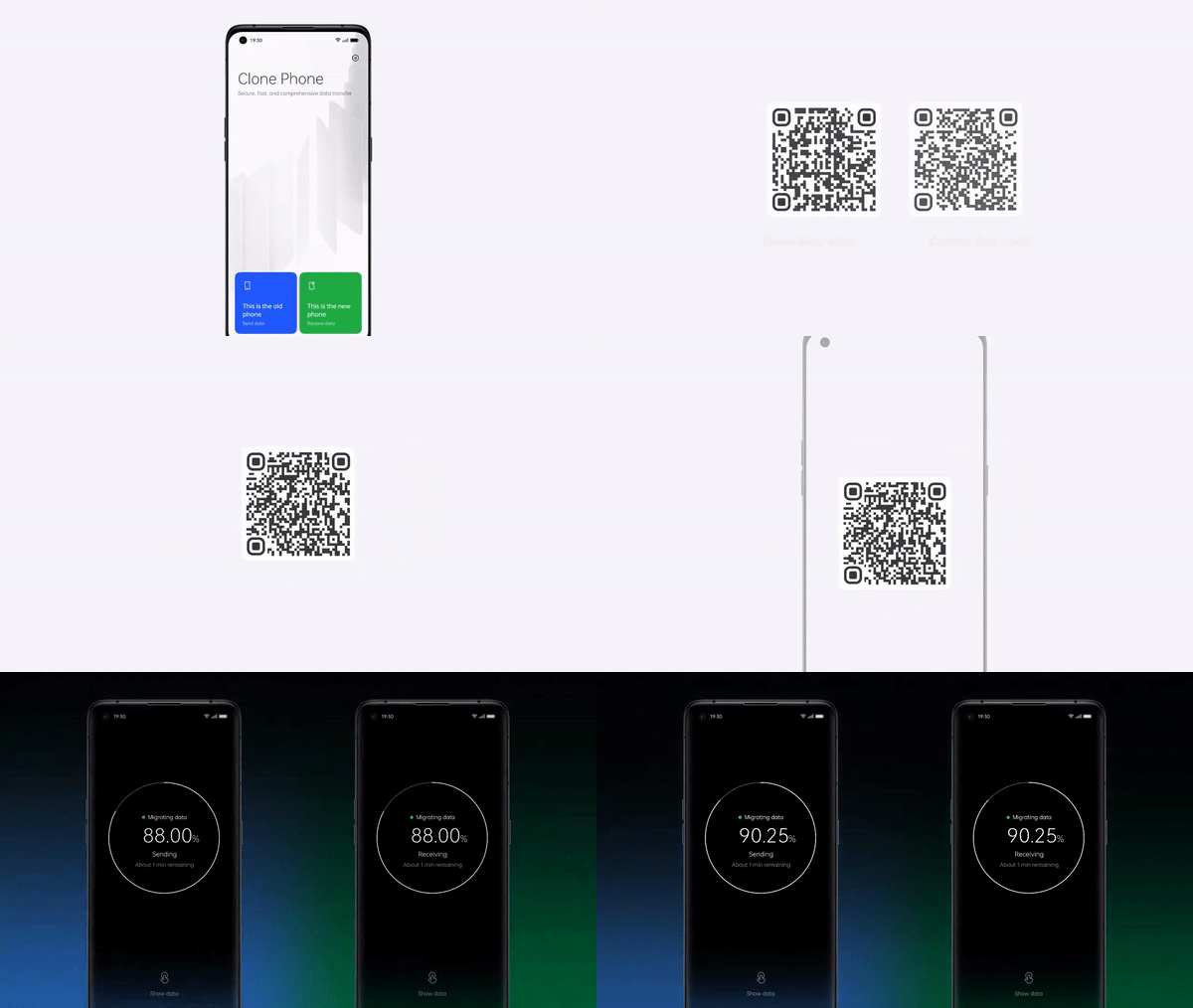
=> Clone Phone 2.0, lets you migrate files, settings and data from your old phone to your new OPPO device with ease. Connect phones and download apps with just one QR code, and receive transfer status and system overheating notifications while transferring data.


=> Air Gestures, You can Answer calls or scrolls through select apps with the wave of a hand. Air Gestures lets you control your phone at a distance, keeping your hands free while you’re multitasking.

=> Adaptive sleep, ColorOS 12 uses facial recognition to detect when you’re viewing your phone screen, preventing it from dimming or going to sleep. No more manual refreshing.

=> Bubble Animations allow users to instantly and intuitively switch between conversations without opening the messaging app on full-screen.

=> ColorOS 12 comes with redesigned Media Player

=> Conversation Widgets provide quick access to chats, so you can converse from the home screen without opening up an app.

Privacy & Security :

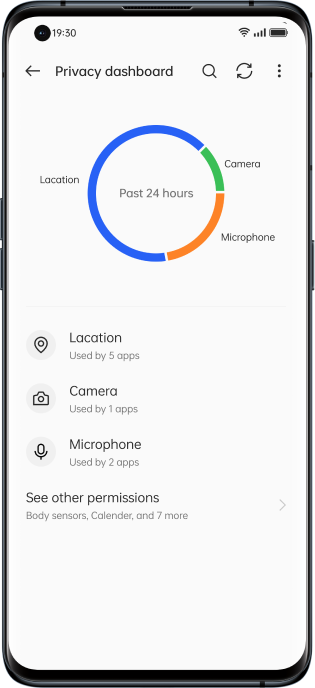
=> Privacy Dashboard, Manage all permissions easily with a clear overview in the privacy dashboard. Finding an app too invasive, or want to give more access? ColorOS 12 puts you in admin seat.


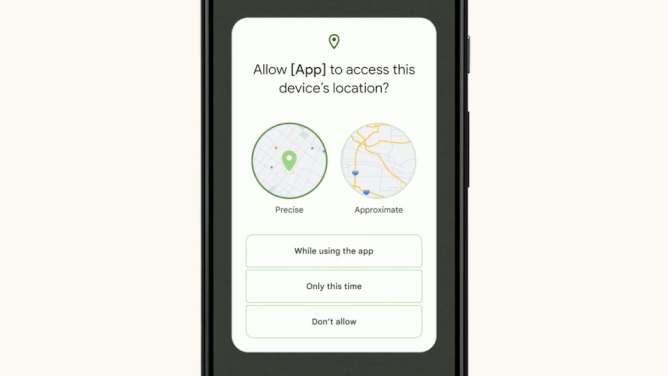
=> Approximate Location Sharing, When an app requests location information, you can choose to share only your approximate location.


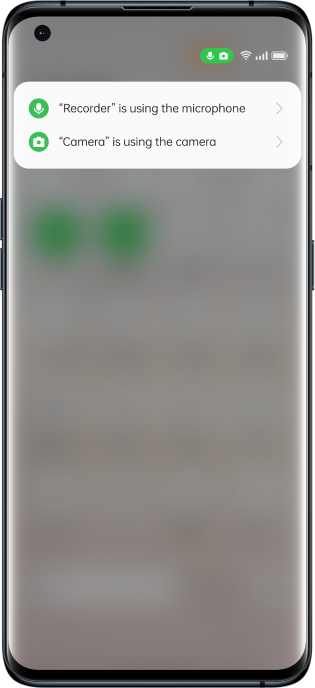
=> Microphone and Camera Indicators and Toggles, Stay on top of your privacy, ColorOS 12 gives you instant icon prompts whenever an app wants to engage camera or mic which is from native Android 12. You can turn them on or off any time.


Connectivity :

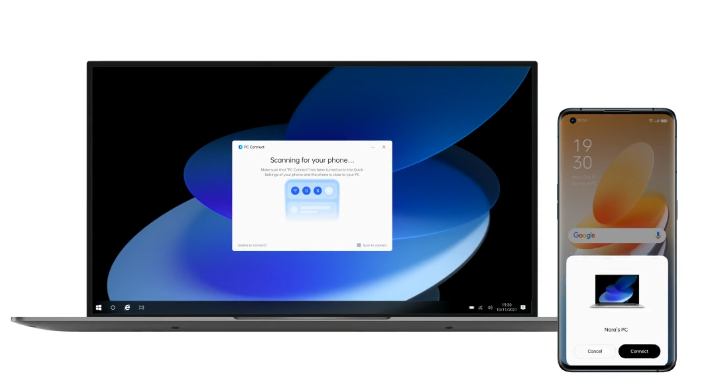
=> PC Connect, oppo Introduced PC Connect—one brain across multiple screens for easy sync. Make your day-to-day fluid and flexible with shared notifications and clipboards. Want to edit your files and then move easily between devices? With PC Connect, it’s as simple and instant as drag-and-drop.


=> Nearby Share, lets you quickly share Wi-Fi passwords with friends and trusted devices using only a single tap.

=> Restore experience in Setup Wizard, Switching to a new device? Restore your wallpapers and personal settings in a matter of moments to keep your digital life looking and feeling familiar.

User Experience :

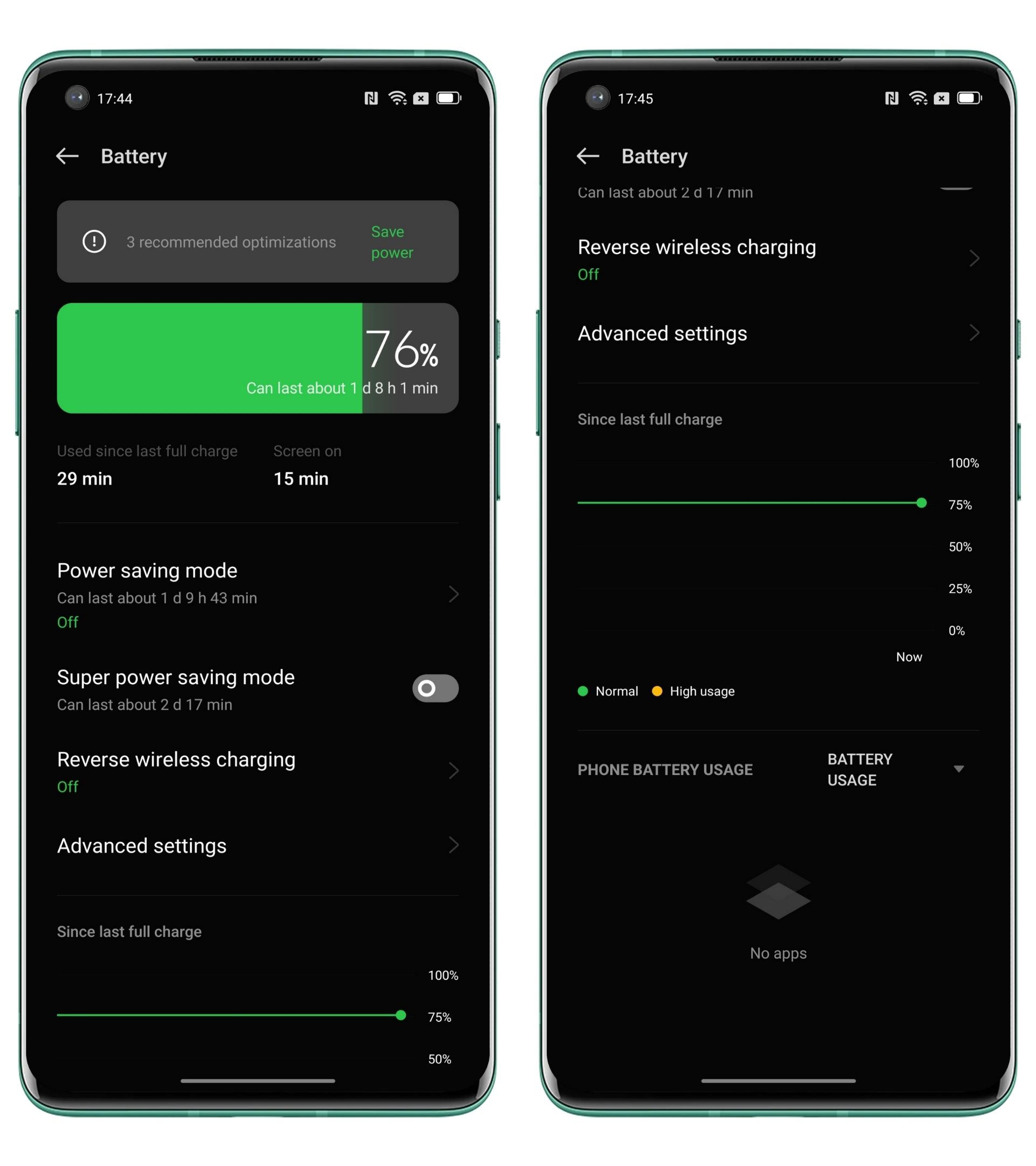
=> Visualized Battery Dashboard, Stay on top of your power usage with the battery dashboard. This display gives you a visual overview of your phone’s power consumption, so you can time your next charge to perfection. With one-tap battery power saving. Detect and disable the thirstiest apps to keep your phone active until its next charge.


=> AI System Booster, By focusing CPU power on apps in-use, AI System Booster ensures maximum system responsiveness at any one time, even as you move at speed between apps and tasks—for smoothest-ever performance from your OS. Release 30% more RAM ;System Aging Rate is only 2.75% after 36 months of usage


=> RAM Expansion, Keep your phone running at maximum efficiency by activating RAM Expansion at the first hint of slowdown. This will convert part of your free storage into RAM, prolonging peak performance.


=> Quantum Animation Engine 3.0, With this enjoy hyper-smooth responsiveness-to-touch with screen interaction that virtually mirrors real-world physics. Every scroll, app or widget interaction is designed to feel as natural as possible.

Gaming and Sound Technology :

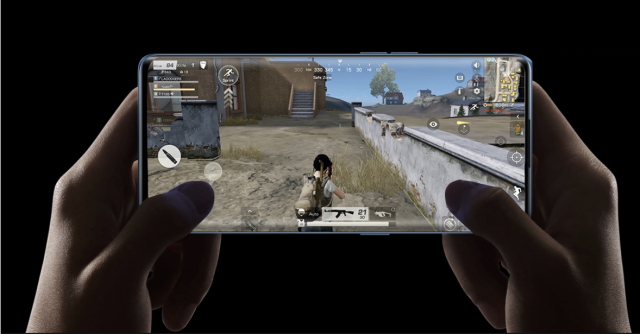
=> Ultra Touch Response, During high-intensity gameplay, a split second can make all the difference. Activate ColorOS 12’s Pro Gamer Mode to enable Ultra Touch Response which gives you an edge in games like shooting games by increasing sampling rate and lowering touch response time.

=> Rotation Lock, OPPO designed to keep your screen orientation fixed so you can game freely, without unintended screen swiveling.

=> Real HD Sound 3.0, Powered by Dirac, ColorOS 12 delivers richer and more immersive sound wider sonic range, hyper-crisp audio performance and a more dynamic sound stage. Consume in crystalline HD whether you’re listening via Bluetooth, aux or your phone speakers, and enjoy tailored sound for different activities gaming, watching films or streaming music.

=> GPA 2.0, ColorOS 12 is engineered for no-compromise gaming performance. The General Performance Adaptor makes for a stable playing experience, regulating your phone’s workload to maximize frame rate, temperature and overall efficiency.

Additonal :

=> Soloop-Face Stickers, With this you can go cartoon mode. Spice up your videos by adding movement-tracking stickers to faces.

This what oppo is going to provide to their users, check when you can get the update from here.

Above information content and pictures courtesy : OPPO


That's for the story, If you have any word for us kindly let us know in comments or in our social handles.

 Best Cloud Storage services for data backup :


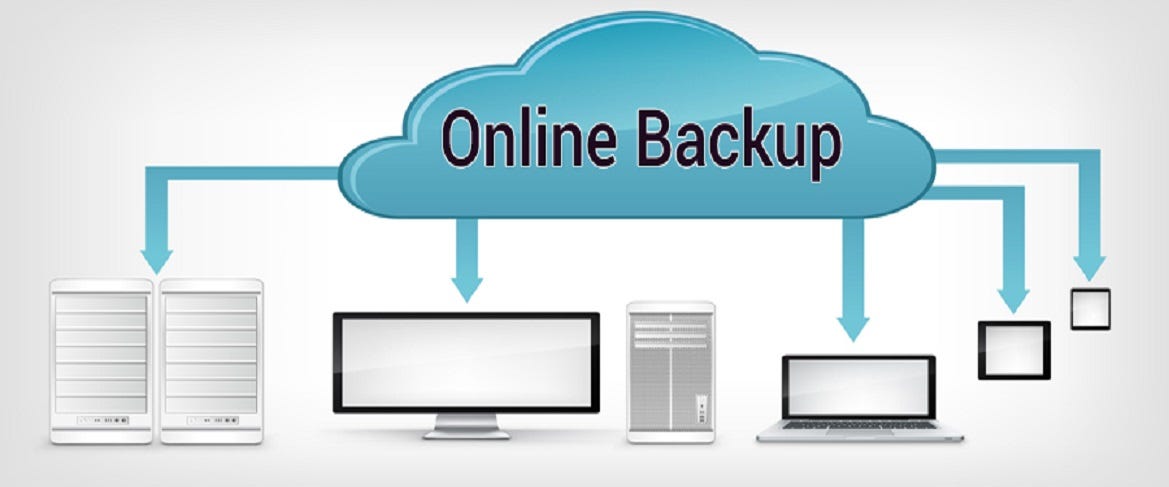
If you have plenty of data which you love and wanted to store them, May be a physical drives may be corrupted in time being. For photos and Videos backup previously google provided it's unlimited storage in google drive but in recent years google withdrawn that feature and limited overall storage to 15GB of it's drive storage capacity. Here we have hand picked some cloud storage service which you can use as backup of your data, Let's get into details now :

Google Drive :

Many of us know this in which google will provide us 15GB cloud storage for each mail id registered with google. It offers a desktop client to upload files easily and also you can configure auto backup as well. You can use the same in mobile application as well and you can share your data with specific people if you wish for.


Google Drive lets you make a file view-only which prevents anyone from downloading your file. For better control, you can allow/disallow comments on a document and let a file be opened by more than one person at a time. As we discussed earlier google provides 15GB storage only later you need to subscribe by buying the plans. you can use this service on iOS, Android, Windows, and macOS.

Dropbox :

Next in the list is Dropbox which is widely consider as one of the best cloud storage services. It offers mobile and pc applications with lot of features, where you can backup easily and also you can manage easily. Best part about it is it's ability to edit Microsoft Office files right from inside your browser using Microsoft Office Online. Dropbox also works with a wide range of apps and services including Zoom, Slack, Adobe Creative Cloud, Asana, and more. So that you can use it to work in sync with your colleagues.


Dropbox only offers 2GB free data storage and to increase storage you need to buy it's subscription. you can use this service in iOS, Android, macOS, Linux, and Windows.

Mega :

Mega is also one of the best option when it comes for cloud storage and it works with end to end encryption security for it's services, it also comes with an integrated chat to let you exchange messages and share files with enhanced safety. Simply you can use a browser to view and manage your files. With a simple interface and useful file management tools, it lets you keep everything organized as you like. 


You can get Mega services with 20GB storage for free and if you want to increase the storage you can buy their plans. You can access Mega on iOS, Android, macOS, Linux, and Windows.

One drive :

Many of know that Microsoft have wide range of products among then Onedrive is also one of them, If you want a storage works best with office online this is the one which you can work on office online and save on drive with ease. With the desktop app, you can easily transfer files and folders of any type. It allows sharing both files and folders with the non-registered users. You also get option to grant full editing privileges or viewing only permissions based on your needs. You can choose to share password-protected or expiring sharing links. 


You can get 5GB free cloud storage with this service and you need to buy it's plans to increase storage. you can get this service on iOS, Android, and Windows.

iCloud :


iCloud has the best part about it is the seamless integration with iDevices including iPhone, iPad, and Mac. it’s able to back up and sync your data more smoothly than any other service do to an apple device. You need to upgrading to the iCloud+ version which let you unlock some notable features including Hide My Email and Private Relay along with increased cloud storage that it's free 5GB storage. Apple also offers temporary free iCloud storage (iOS 15 or later) to let you back up your data and restore it later. Times when you may want to erase and restore your device from a backup, it will come in super handy.


iCloud comes with 5GB free storage and you need to subscribe to it's premium service to get more storage. This service supports iOS, macOS, and Windows.

pCloud :

pCloud has long been a trusted cloud storage service, pCloud provides you the desired flexibility to store and manage your files. It comes with both mobile and desktop apps. It allows you to share files and folders with non-users. That means even if someone is not using pCloud, they can view your shared files. It also lets you download folders as a ZIP archive which can come in super handy for keeping the space tidy and making file sharing convenient. It even allows you to create upload links for folders so that anyone can send files to your account. There is no file size limitation, which is yet another plus. And when you add the multimedia streaming option, pCloud gives a great service.


You get these service with 10GB free storage limit and you can increase limit by purchasing their services and this service works on iOS, Android, macOS, Linux, and Windows.

Box :

Box ensures you have enough space to accommodate important files and photos with advanced security controls and intelligent threat detection, it has got all the tools to offer the much-needed shield to your files. Integrated with several productivity-centric services including Google, Zoom, and more, Box allows you to open, edit, and save files right from one spot. Another feature that makes it a preferred choice for professionals and businesses is the seamless e-signatures. You can sign business documents like offer letters and sales contracts with ease.


You will get 10GB free storage limit with this service and you can pay for increased storage limit. You can use this platform on iOS, Android, macOS, and Windows.

Sync :

Sync is designed to offer a simplified cloud storage experience. In terms of managing files, Sync is highly flexible. Depending on your needs, you can create shared folders and allow other users to interact with them. It allows you to share files with anyone, irrespective of whether or not they are a Sync user, with password-protected shares, Sync prevents unauthorized access. To keep some of your personal files under the wraps, you can create Vaults and store sensitive files inside. It backs up your docs in real-time and offers a straightforward way to restore your data. It’s a fully-equipped cloud storage service that you would like to have at your disposal.


You will get 5GB free cloud storage and you can increase limit by purchasing their plans. You can use this platform on iOS, Android, macOS, and Windows.

Jumpshare :

Jumpshare features a modern-looking interface that feels snappier. The highlight of this service is the built-in screen recorder that allows you to record your screen as a video or GIF. You can use the recording with webcam, drawing, and audio to enhance your presentation. Plus, it also provides handy annotation and markup tools to help you share your heads with better control. Though the 250 MB upload limit per file is a disappointment, Jumpshare more than just covers the ground by offering a host of proficient file management tools.


You get 2 GB of free space, you can increase the total storage up to 18 GB by referring friends to join and you can buy their plan as well which is expensive. You can use this service on iOS, macOS, and Windows.


That's it guys, check and choose your suitable platform wisely. If you have word for us let us know in comments or get connected in out social networks and messenger groups as well.

 All Releases from today's OPPO Event :


Today OPPO had organized a Launch event and unveiled their new arrivals in Market, let see what are the products unveiled today at Launch event and what are the details.

OPPO Reno 7 Series :


After many rumors finally OPPO bring it's next flag ship mobile in Reno series as OPPO Reno 7 5G and OPPO Reno 7Pro 5G let's get into details of those 2 handsets.

Reno 7 Pro 5G : 


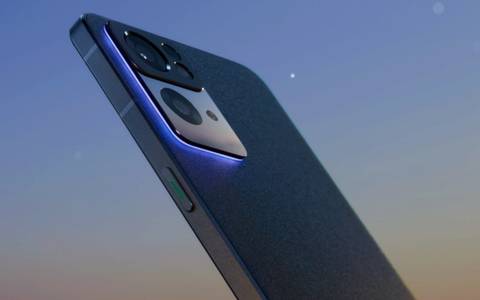
OPPO Reno 7 Pro 5G carries the flat-edge design features a different-looking rear camera setup with slightly bigger camera housings. The front has a punch-hole selfie camera in the corner. Reno 7 Pro will be available in Starlight Black and Startrails Blue colors. Major highlight is the Orbit Breathing Light, which surrounds the rear camera bump and glows when a notification pops up or when you are charging your phone.


Handset comes with a 6.5-inch Full HD+ AMOLED display with a 90Hz refresh rate, HDR10+ support, and an aspect ratio of 20:9. This Reno is powered by MediaTek 1200-Max chipset, along with 12GB of RAM and 256GB of storage. Handset have RAM expansion feature and supports up to 7GB of extra RAM. The phone comes with an upgraded Portrait mode with professional effects, Bokeh Flare Portrait mode, AI Highlight Video, Ultra Night Video, dual-video mode, SOLOOP videos, and more. There is a 50MP main camera with a Sony IMX766 sensor, an 8MP ultra-wide camera, a 2MP macro camera, and a color temperature sensor as well. where as there is a 32MP selfie shooter with a Sony IMX709 sensor, which is the world’s first RGBW unit for 60% more light and clearer images. It also supports the use of DOL-HDR for long-exposure shots.

The Reno 7 Pro is packed with a 4,500mAh battery with support for 65W SuperVOOC fast charging and runs ColorOS 12 based on Android 11. For gaming, the device has support for an X-axis linear motor, Ultra-Touch response, and AI frame rate stabilizer. Handset also supports an in-display fingerprint scanner, Oppo Omoji, NFC, Wi-Fi 6, Bluetooth version 5,2, and more. Pro model priced at INR 39,999/-

Reno 7 5G :

This model comes with a few changes. It is equipped with 6.4-inch AMOLED screen with a refresh rate of 90Hz and a touch sampling rate of 180Hz. It is powered by a MediaTek Dimensity 900 chipset, along with 8GB of RAM and 256GB of storage with support for up to 5GB of RAM expansion.


It has a 64MP main camera, an 8MP ultra-wide lens, and a 2MP macro camera setup at it's back and It comes with many attractive camera features like DSLR-like Portrait mode, Bokeh Flare for both videos and photos, AI Highlight Video, AI Color Video, dual-video mode, and more features shared from it's sibling Reno 7Pro. Handset is bagged with a 4,500mAh battery and supports 65W fast charging. The phone runs ColorOS 12 based on Android 11. There are very slight differences between these 2 models. This model priced at INR 28,999 /-

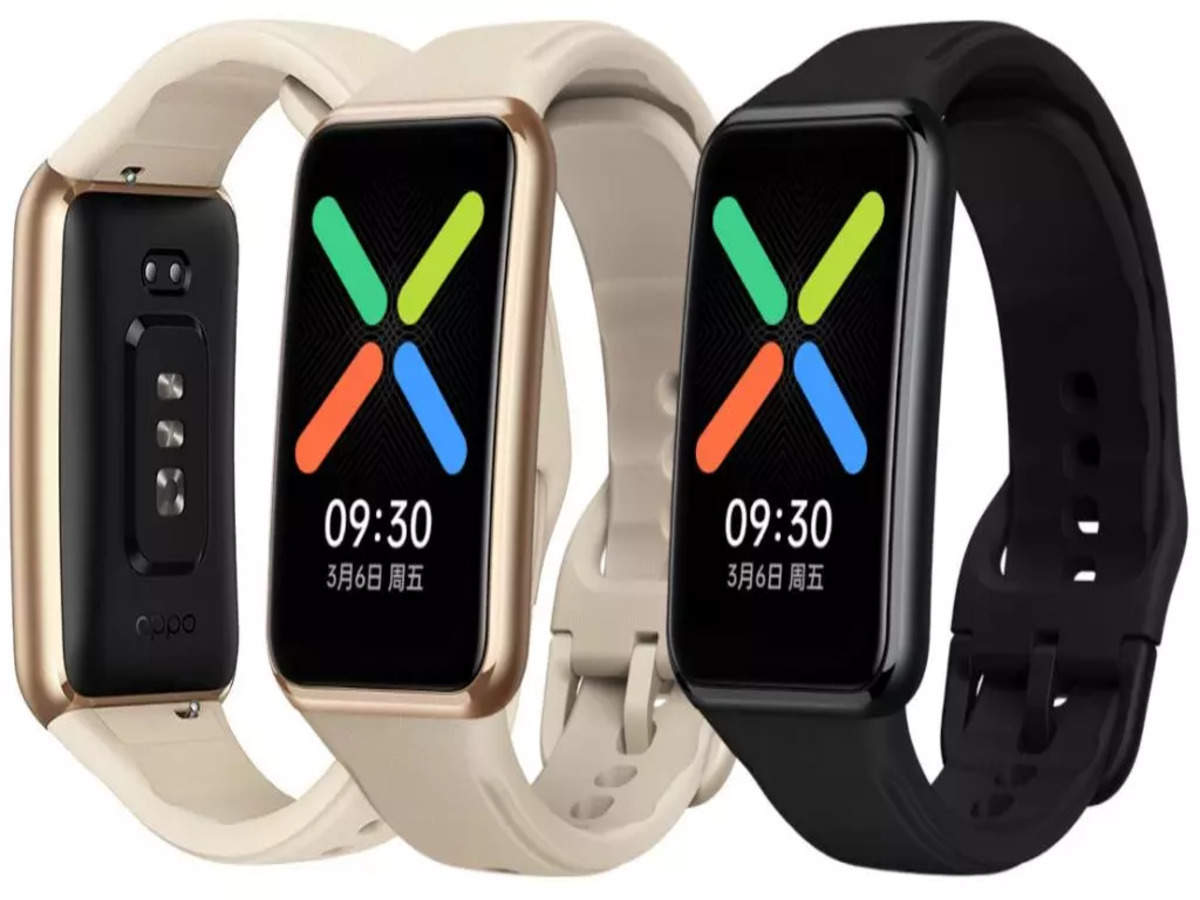
OPPO Watch Free :

OPPO Watch Free comes with a 1.64-inch AMOLED display with touch support, a screen resolution of 280 x 456 pixels, and 2.5D curved glass, supports a 100% DCI-P3 color gamut.


The Watch comes with 100+ dedicated workout and sports modes, including kayaking, cycling, badminton, cricket, and more. Watch is waterproof up to 5ATM, along with dedicated modes for swimming and water sports. The watch supports continuous heart-rate monitoring with optical heart-rate sensor. It also has a SpO2 sensor to monitor the blood oxygen levels of users. Plus, it can monitor sleep and give detailed reports.


The Watch comes with over 100 watch faces, which users can set via the Companion app. Furthermore, there is an eSports mode that delivers all smartphone notifications to the watch if it detects that the user is gaming on their smartphone. Watch packs a 230mAh battery that can deliver a 14-day battery life on a single charge. Users can fully charge up the device in 75 minutes. along with the support of Bluetooth Low Energy (BLE) technology as it is compatible with smartphones running Android 6.0 or above and iOS 10 or above. The OPPO Watch Free is priced at INR 5,999/- exclusively via Flipkart.

OPPO Enco M32 in Green Color :

OPPO Enco M32 wireless headset, the green color variant is an addition to the existing black-colored variant. It comes with the same set of specs and features as the black model which is available in Amazon India. the Enco M32 comes with 10mm drivers. It has an IP55 rating for water and dust resistance and offers 28 hours of battery life on a single charge. The users can also use its fast charging capabilities to charge the wireless headset for 20 hours of listening time with a 10-minute charge.


It comes with support for low-latency transmission, HD AAC Codec, seamless switch between two devices, and three buttons for volume control, play/pause, and more. Simply you are getting another color option for the same neck band.


That's it for now, Get into details for specs and other info. Check out our social handles and join them.

Here's how you can enable Group Policy editor in Windows 10 / 11 :


As we all know about Microsoft Windows Operating System some of us didn't know that windows system have different version which they named like Windows Home, Windows Pro, Windows Enterprise editions. Home version can be used by students and general users and Pro versions used by Professionals where as Enterprise edition will be used by Enterprises. Main difference between these are some options and features will be disabled in some versions. In the same way Group Policy Editor was disabled system wide in Windows Home editions. So, by using simple batch file and configuring it we can get the same on our Home edition of windows for free. Let's get into details now :


=> First of all as we said above we need to download a batch file which is created by MajorGeeks. You can get this by clicking here

=> Once you downloaded the file now right click on that file and run the file with Admin privileges.


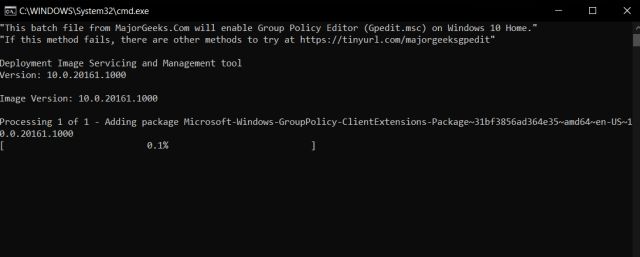
=> Once you the Run the batch file you will find a CMD file installing the features which will take up to 5 minutes or less.


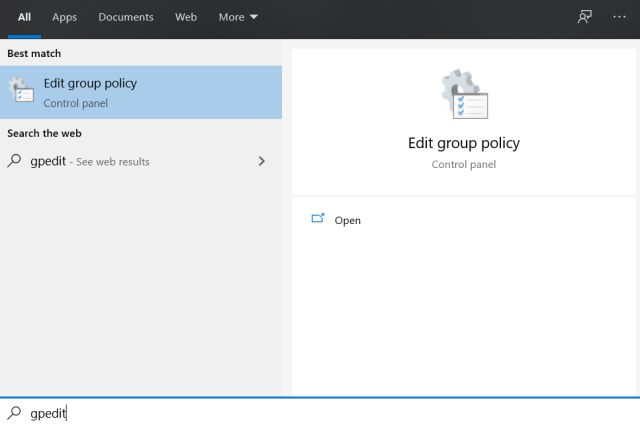
=> Once installation completed, Restart your PC once and then check whether you can able to find the Group policy editor from  start menu (Press windows key once and type " gpedit "  you can find the application in the list.


This is how you can get Group policy Editor in your Windows Home edition. Let us know your views in comments or in our social handles.


That's for it guys, You can find our social handles in post page and in home page as well, join in our groups and never miss our articles.

Newer Posts
Older Posts

Subscribe To

Posts
Atom
Posts
All Comments
Atom
All Comments

Follow us on

Popular Posts

  • IOS 15 : All you need to know about Apple Mobiles New Operating System
      A s we all know that IOS is the exclusive operating system developed by and used by Apple Mobiles  now as per the annual update we have IO...
  • Process to get Early Access to Task Mate app in India
      Here is how to get Access to Task Mate app : All you need to know about Task Mate app in India      As per reported information Task Mate ...
  • Hidden Features, Tips and Tricks of Facebook
       Hidden Features Of Facebook You Must Know   Facebook: is the social media platform everyone uses, but just don’t lay behind in social med...

Labels

Android (3) Android app (6) Color OS (2) Early-Access (1) Funtouch OS (1) Gadgets (2) Harmony OS (1) How to Guide (8) IOS (4) IOS app (4) MI UI (1) New Releases (10) One UI (2) Oxygen OS (1) Rumoured (3) Tech News (12) Updated Notes (4) Windows 10 (4) Windows 11 (6)

recent posts

Blog Archive

  • ▼  2022 (66)
    • ▼  February (29)
      • Feb 12 (1)
      • Feb 11 (1)
      • Feb 10 (2)
      • Feb 09 (5)
      • Feb 08 (2)
      • Feb 07 (2)
      • Feb 06 (2)
      • Feb 05 (2)
      • Feb 04 (1)
      • Feb 03 (1)
      • Feb 02 (4)
      • Feb 01 (6)
    • ►  January (37)
      • Jan 31 (3)
      • Jan 30 (2)
      • Jan 29 (4)
      • Jan 28 (4)
      • Jan 27 (11)
      • Jan 26 (5)
      • Jan 25 (8)

Created with by TechEra