• Home
  • Mobile
    • OS
      • Android
      • Apple IOS
      • One UI (Samsung)
      • Color OS (OPPO)
      • Funtouch OS (Vivo)
      • MI UI (Xiaomi)
      • Harmony OS (Huawei)
      • Oxygen OS (Oneplus)
    • New Releases
    • Gadgets
    • Rumoured
    • Update Notes
  • PC
    • Windows 10
    • Windows 11
  • Tech News
  • Apps
    • Android
    • IOS
    • Early Access
  • How to Guide
  • More
    • About us
    • Contact us
    • Privacy Policy
    • DMCA
*Welcome Everyone please note that out site has been moved to the New link with dedicated domain you can navigate Click Here to access our site all content will be found there and new content is being posted there as well.
*Click Here to go to New Site

 All you need to know about Android 13 latest Preview :


We all know that Android is the Google's mobile operating system which they release their new OS every year so part of the yearly development now as per schedule google had released DP 1 (Developer Preview 1) of Android 13 version which is the advanced version to the current running Android 12. This time google seems to be getting another good features in it. Let's look into those details now :


Material You Color Adjustments :

With this new update, The Material You (which is introduced in Android 12 as Theme designer) dynamically adjusting color engine extends to all app icons, Developers will have to provide compatible icons for their apps for this to work as this is not limited to google icons. These custom icons will be available on Pixel devices at first, but Google promises it will work with its device manufacturer partners to bring them to more phones.


Using Wifi instead of Location Services and new tiles :

In this update the another introduced feature is apps will be able to discover and connect to nearby devices via Wi-Fi without needing the location permission. The process of adding custom tiles to Quick Settings will be streamlined with a new API, as well as a new system dialog which will let you add a tile from within an app.


New File Picker with utmost Security :

Along with these features Android 13 also brings a new system photo picker as a standard and optimized way of sharing local and cloud-based images securely. It extends what the Android document picker does which let you share files without the app needing permission to view all media on the device for picking photos and videos too. This should eventually comes to more Android users other than these preview users through Google Play updates for all devices running Android 11 and higher except Android Go.

Source : Android developers blog

Easier testing and debugging of changes :  

To make it easier for developers to test the opt-in changes that can affect their app, Android make many of them toggleable again this year. With the toggles developers can force-enable or disable the changes individually from Developer options or adb.


These are the notable changes comes with Android 13 first developer preview update. If you want to try these new things you need any of the devices in list *(Pixel 6 Pro, Pixel 6, Pixel 5a 5G, Pixel 5, Pixel 4a (5G), Pixel 4a, Pixel 4 XL, or Pixel 4) so that you can get developer preview build if you are not a developer wait till beta builds to be launched, Once they launched you can get access through many more devices and also you can get stabilized updates.

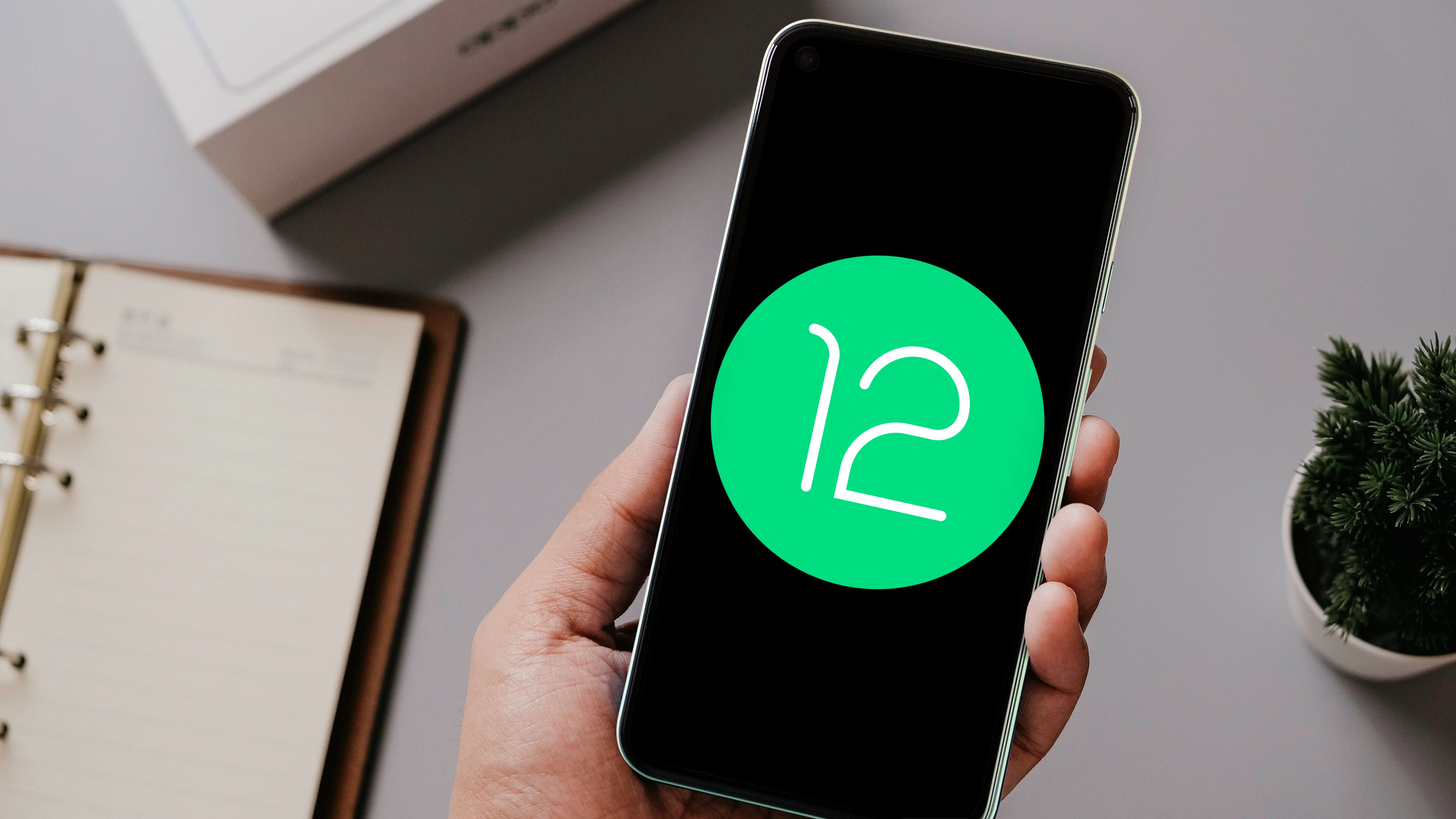
Highlights About Android 12 We know So far :


Intro :

Android, We don't need seperate introduction for this word right ! Android become part of the life in our day to day life. Google will Release their new Android Operating Systems annually, As part of this Google already Launched it's Android Operating System Version 12 on  Oct 4th 2021. All mobile manufacturers are also started rolling the same update to their users. So, let's get into details of the Original Android version 12.

Android 12 (internally codenamed Snow Cone) was announced in an Android blog posted on February 18, 2021. A developer preview was released immediately, with two additional ones planned the following two months. After that, four monthly beta releases were planned, beginning in May, the last one of them reaching platform stability in August, with general availability coming shortly after that.


What You will get with Android 12 : 

Androids Latest Release comes with a lot of New Updates mostly huge UI Refreshments with their "Material You" design. Let's get dive into details what we got in Android 12.

Material You Design :

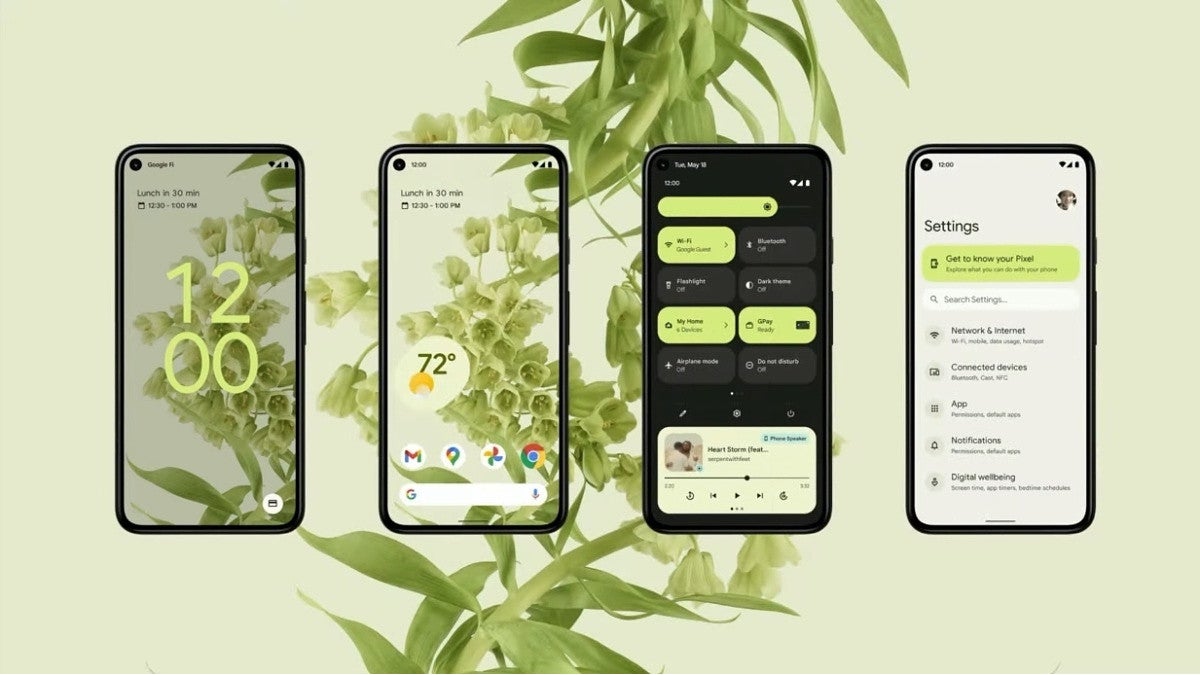
As we discussed earlier Android 12 comes with a refreshed UI they named it as Material You design. Material You is the next iteration of Material Design. This design language is will be seen across a wider variety of Google services from now on. But for Android, this forms one of the bigger visual overhauls the OS has seen in several years. There’s a lot of focus on color and customization, allowing users to choose their own color swatches, contrast, element sizes, line widths, and more.


Wallpaper Based Theming Experience :


Along with UI google also done pretty great job in Theming which pick colours from your wallpapers and apply the same as theme and also google working on color changing pallets and widgets as well. Google says the color extraction system uses a clustering algorithm with Material color targets to determine the dominant and less dominant colors and then applies hues that match your wallpaper. A rich palette of 5 colors — 2 neutral and 3 accent colors — and 12 shades of Material color can be used to determine the closest hues to the user’s wallpaper. Apps can then grab Android’s system color from an index into the color palette and use it in many different, subtle ways. Widgets can even use the color extraction feature to harmonize with the user’s theme on the home screen.


The feature is not currently readily available to end-users, but you can enable it with some fiddling around as it’s present within the build. The feature is readily available with Beta 2 already. So, end users may get this feature with in no time.

Private Compute Core :

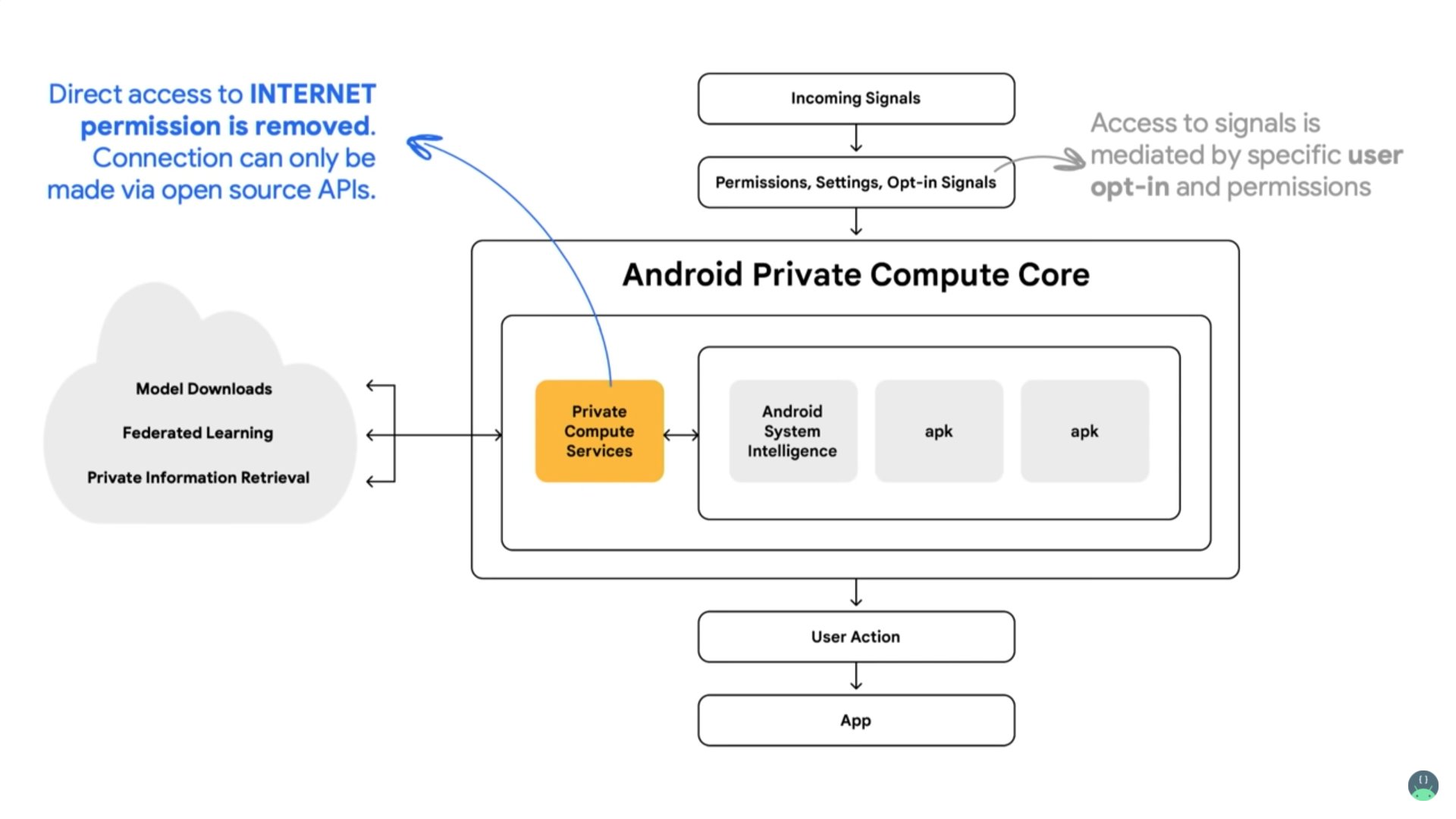
As Google said they are more concentrated on Privacy, Android 12 features a Private Compute Core that will keep your information private for several AI-driven features, like Live Caption, Now Playing, and Smart Reply. The Private Compute Core will be a safe partition within the operating system, similar to the ones used for password and biometric data, for these machine learning features. Having a separate partition for the data will make it easier for the operating system to keep it safe, while still keeping it available for system-level functions. This means sensitive audio and language processing for the features mentioned above will happen exclusively on your device.


App Hibernation

Hibernation, may be some of you know what hibernation means, Android 12 introduces a new feature called App Hibernation. App hibernation allows you to put apps into a “hibernation” state if they’re not actively being used. Apps that are put into a hibernated status will optimize their storage usage, and their permissions will be revoked. Apps that aren’t used for several months will be put into this “hibernation” state, although users can quickly toggle this feature on and off if they don’t want their unused apps to go into hibernation. To get an app out of hibernation, you just need to run it normally.


Can Take Long Screenshots :

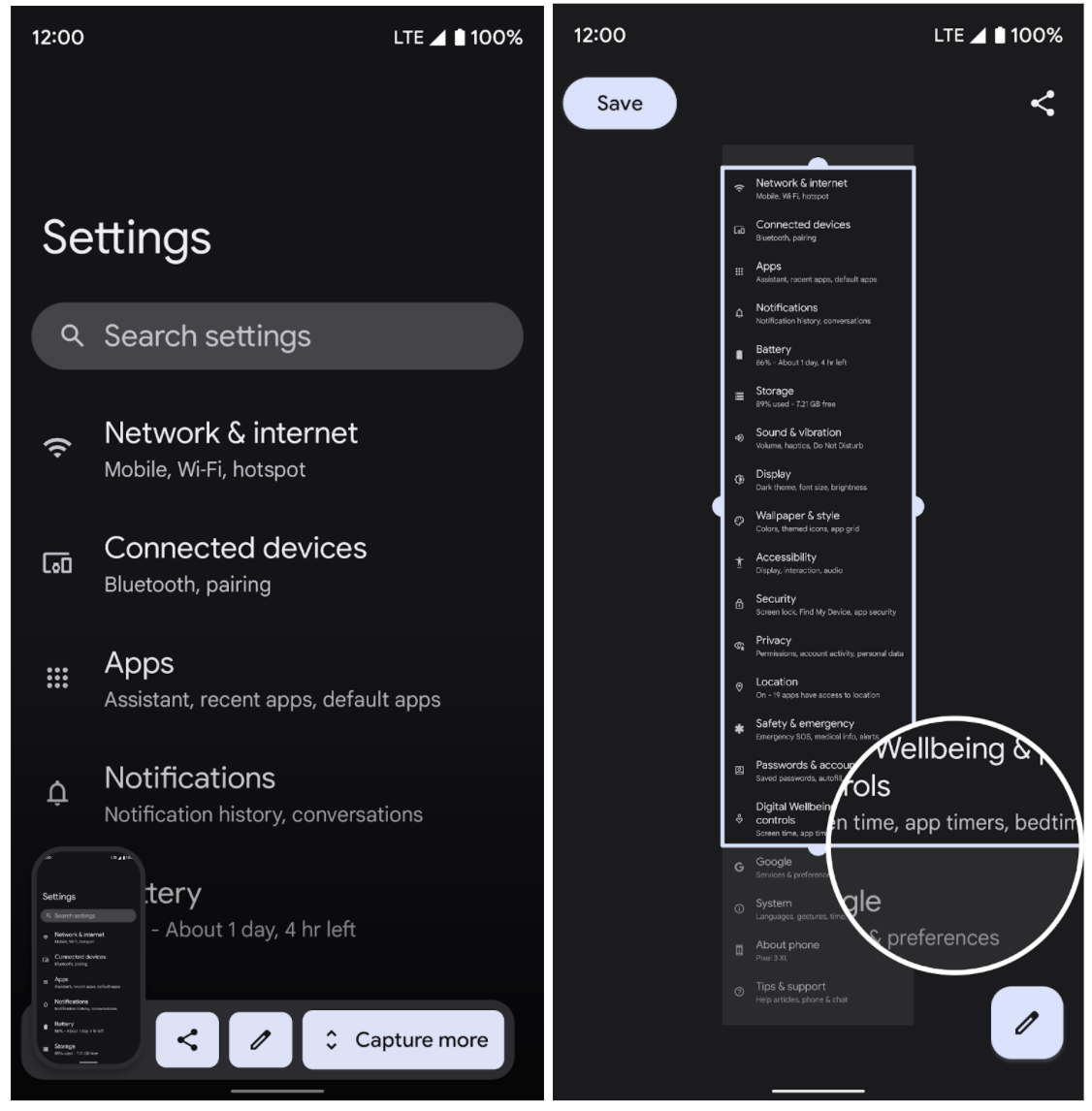
Android 12 brings ability to take super long screenshots which allows user to take super long screenshots of documents or webpage, whatever it may be


Pro Gaming :

Google take more concerns about gamers as well, Android 12 has a few new tricks up its sleeve for gamers too. You can pull out a game dashboard which houses a range of tools for supercharging your gameplay experience. Inside the dashboard, you’ll find options to switch on an FPS counter, record the gameplay, and stream on sites like YouTube. It also lets you quickly put your phone on Do Not Disturb mode to optimize its performance for the best results.


Mic and Camera kill switches

As google says it worked on privacy and security wll, On Android 12, whenever an app accesses your phone’s camera or microphone, an indicator pops up at the top of your screen. In addition to that, Android 12 comes equipped with kill switches for these modules. Therefore, if you decide to upgrade your privacy and block all apps from using your phone’s camera or mic, you can do so in an instant from the Quick Settings panel.


Extra dim the screen

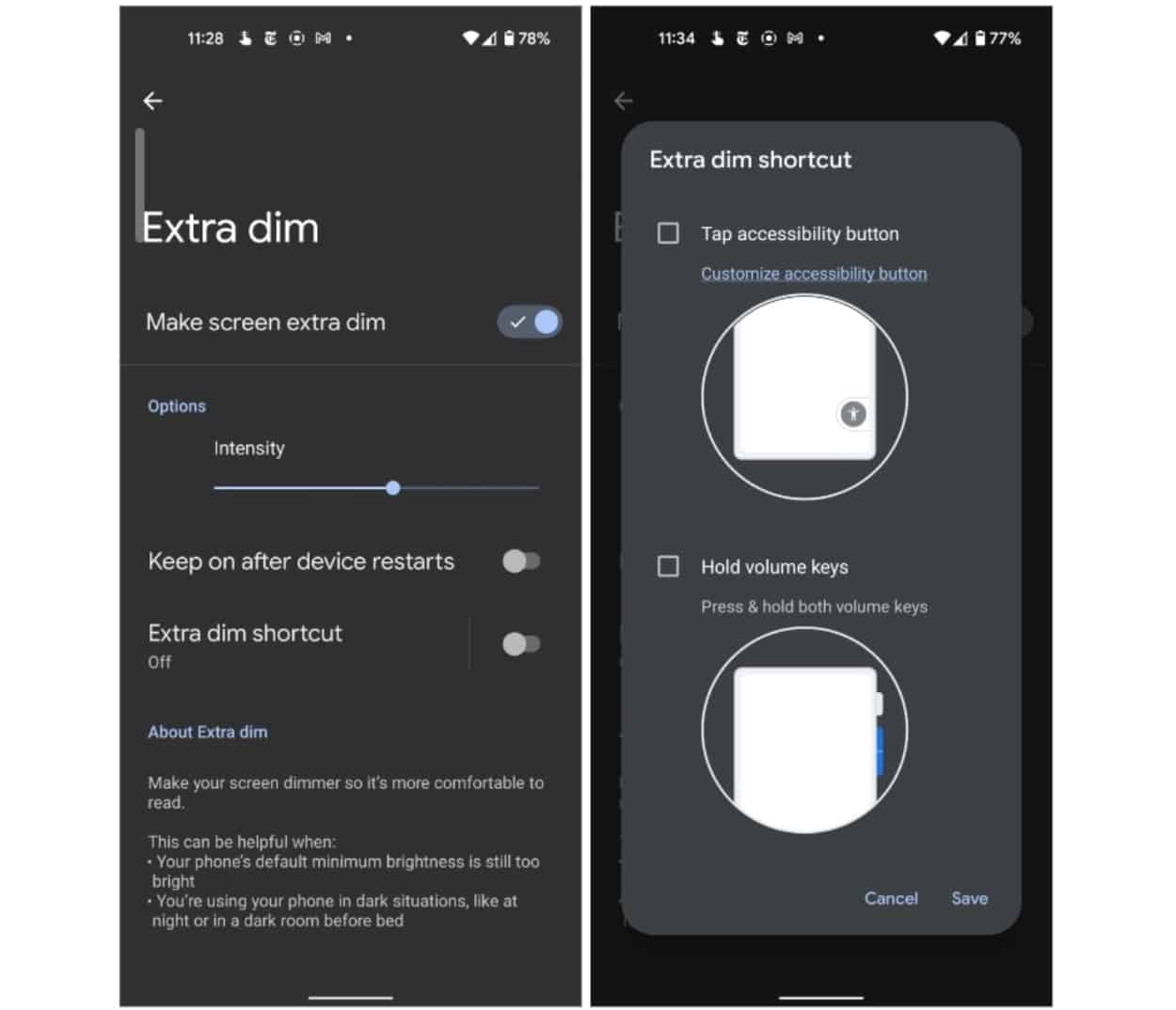
While using mobile in late nights many feel uncomfortable with brightness of the display even it sets to minimum level, Android 12 has a handy toggle for you. It lets you dim the screen beyond the brightness slider’s limit. The option is called “Extra Dim” and is located under Settings > Accessibility. With this option, Android 12 closes the blinds and adds a little shade to your display. However, the difference isn’t significant, but it still should be more comfortable on your eyes than the brightness slider’s lowest value.


Privacy Dashboard :

Now Android 12 comes with all new Privacy Dashboard with many options and it also tell us that how google working on user privacy, You can find this in Settings >> Privacy


Control phone with your face

For users with disabilities, Android 12 has a new accessibility tool that allows you to control the interface with just your facial expressions. You can assign a handful of facial gestures to actions and navigate the OS without touching your phone at all. For instance, it can pull down your notification shade when you open your mouth or go back home when you look to the right. Go to Settings >> Accessibility >> Switch Access to activate “Use Switch access.” On the following screen, select “Camera Switch,” and continue the onboarding process with the default options to get started.


This is all you can get and there are many more as well, will update you all accordingly.

How you can get update ?

Google Officially Released the operating system already and Stock Android Operating already available for Pixel Devices which are released in past 3 years and for Remaining Brands the software will be pushed from your Respective brands. You can go through our Update Notes Page to check about your brand and model updation availability.


That's it for now guys, There is lot more to discover in Android 12 and will let you all know about them. Hope you find information well and if you have any word for us let us know in comments and if you don't want to miss the update join our social handles.

 Android, Basically it is a OS developed as unix (Modified Linux Kernel) based on Java,C,C++ and etc; and Initially Released on 23rd Sept 2008 which Powers Mobiles, Tablets, Smart TVs, Watches and Auto as well. The OS is 64-bit ARM, x86-64, unofficial RISC-V support; 32-bit (for e.g. ARM) platforms was supported. Android is developed by a consortium of developers known as the Open Handset Alliance and commercially sponsored by Google. Now there are plenty of mobiles are running on Android with their own customized skins and stock OS as well.

Introduced & Commercially Used :

Android Primarily designed to power Touch Screen devices like Mobiles & Tablets. It was unveiled in November 2007, with the first commercial Android device, the HTC Dream, being launched in September 2008.Android OS is free and open-source software; its source code is known as Android Open Source Project (AOSP), which is primarily licensed under the Apache License. However most Android devices ship with additional proprietary pre-installed Google Mobile Services (GMS). which includes core apps such as Google Chrome, the digital distribution platform Google Play, and associated Google Play Services development platform. Android has been the best-selling OS worldwide on smartphones since 2011 and on tablets since 2013. As of May 2021, it has over three billion monthly active users, the largest installed base of any operating system, and as of January 2021, the Google Play Store features over 3 million apps. Android 12,which is released on October 4, 2021,is the latest version.

Features :

Android Introduced many features in time being which made it as one of the Top OS in the World.

Interface

Android's default user interface is mainly based on direct manipulation, using touch inputs that loosely correspond to real-world actions, like swiping, tapping, pinching, and reverse pinching to manipulate on-screen objects, along with a virtual keyboard. Game controllers and full-size physical keyboards are supported via Bluetooth or USB. The response to user input is designed to be immediate and provides a fluid touch interface, often using the vibration capabilities of the device to provide haptic feedback to the user. Internal hardware, such as accelerometers, gyroscopes and proximity sensors are used by some applications to respond to additional user actions.

Home screen

Android devices boot to the home screen, the primary navigation and information "hub" on Android devices, analogous to the desktop found on personal computers. Android home screens are typically made up of app icons and widgets with information; app icons launch the associated app, whereas widgets display live, auto-updating content. A home screen may be made up of several pages, between which the user can swipe back and forth. Third-party apps available on Google Play and other app stores can extensively re-theme the home screen, and even mimic the look of other operating systems like windows, IOS etc... Most manufacturers customize the look and features of their Android devices to differentiate themselves from their competitors with their own developed skins which are actually based on android it-self.

Status bar

Along the top of the screen is a status bar, showing information about the device and its connectivity. This status bar can be pulled (swiped) down from to reveal a notification screen where apps display important information or updates, as well as quick access to system controls and toggles such as display brightness, connectivity settings (WiFi, Bluetooth, cellular data), audio mode, and flashlight. Now a days Vendors implementing extended settings such as the ability to adjust the flashlight brightness and other shortcuts.

Notifications

Notifications are "short, timely, and relevant information about your app when it's not in use", and when tapped, users are directed to a screen inside the app relating to the notification. Beginning with Android 4.1 "Jelly Bean", "expandable notifications" allow the user to tap an icon on the notification in order for it to expand and display more information and possible app actions right from the notification.

App lists

An "All Apps" screen lists all installed applications, with the ability for users to drag an app from the list onto the home screen. The app list may be accessed using a gesture or a button, depending on the Android version. A "Recent Tasks" screen, also known as "Overview", lets users switch between recently used apps. The recent list may appear side-by-side or overlapping, depending on the Android version and manufacturer.

Navigation buttons

Frontal buttons (home, menu/options, go back, search) and optical track pad of an HTC Desire, a 2010 smartphone with Android OS. Many early Android OS smartphones were equipped with a dedicated search button for quick access to a web search engine and individual apps' internal search feature. More recent devices typically allow the former through a long press or swipe away from the home button. The dedicated option key, also known as menu key, and its on-screen simulation, is no longer supported since Android version 10. Google recommends mobile application developers to locate menus within the user interface. On more recent phones, its place is occupied by a task key used to access the list of recently used apps when actuated. Depending on device, its long press may simulate a menu button press or engage split screen view, the latter of which is the default behavior since stock Android version 7.

Split-screen view

Native support for split screen view has been added in stock Android version 7.0 Nougat. The earliest vendor-customized Android-based smartphones known to have featured a split-screen view mode are the 2012 Samsung Galaxy S3 and Note 2, the former of which received this feature with the premium suite upgrade delivered in Touch Wiz with Android 4.1 Jelly Bean.

Charging while powered off

When connecting or disconnecting charging power and when shortly actuating the power button or home button, all while the device is powered off, a visual battery meter whose appearance varies among vendors appears on the screen, allowing the user to quickly assess the charge status of a powered-off without having to boot it up first. Some display the battery percentage.

Audio-coupled haptic effect

Since stock Android version 12, released early 2021, synchronous vibration can be set to complement audio.Such feature initially existed under the name "Auto Haptic" on the Android-based 2012 Samsung Galaxy S III, released with a vendor-modified (TouchWiz) installation of Android 4.1 Jelly Bean.

Adoptable storage

Android 6.0 Marshmallow brought adoptable storage, an option to format and mount the memory card as extension of the internal storage instead of default separate portable storage. While possibly facilitating on-device file management due to files stored on both internal storage and memory card appearing in one place, adopted storage denies data recovery at technical defect and instant reuse in a different device unless reformatted. For these reasons, the major vendors Samsung and LG opted to exclude adoptable storage. Applications moved to the memory card were previously stored as .asec files inside an ".android_secure" directory.

Memory management

Since Android devices are usually battery-powered, Android is designed to manage processes to keep power consumption at a minimum. When an application is not in use the system suspends its operation so that, while available for immediate use rather than closed, it does not use battery power or CPU resources. Android manages the applications stored in memory automatically: when memory is low, the system will begin invisibly and automatically closing inactive processes, starting with those that have been inactive for the longest amount of time. Lifehacker reported in 2011 that third-party task-killer applications were doing more harm than good.


That's for today guys, If you find information useful or need more content kindly share us via comments, we will improve ourselves and get many more articles in future.


Older Posts

Subscribe To

Posts
Atom
Posts
All Comments
Atom
All Comments

Follow us on

Popular Posts

  • IOS 15 : All you need to know about Apple Mobiles New Operating System
      A s we all know that IOS is the exclusive operating system developed by and used by Apple Mobiles  now as per the annual update we have IO...
  • Process to get Early Access to Task Mate app in India
      Here is how to get Access to Task Mate app : All you need to know about Task Mate app in India      As per reported information Task Mate ...
  • Hidden Features, Tips and Tricks of Facebook
       Hidden Features Of Facebook You Must Know   Facebook: is the social media platform everyone uses, but just don’t lay behind in social med...

Labels

Android (3) Android app (6) Color OS (2) Early-Access (1) Funtouch OS (1) Gadgets (2) Harmony OS (1) How to Guide (8) IOS (4) IOS app (4) MI UI (1) New Releases (10) One UI (2) Oxygen OS (1) Rumoured (3) Tech News (12) Updated Notes (4) Windows 10 (4) Windows 11 (6)

recent posts

Blog Archive

  • ▼  2022 (66)
    • ▼  February (29)
      • Feb 12 (1)
      • Feb 11 (1)
      • Feb 10 (2)
      • Feb 09 (5)
      • Feb 08 (2)
      • Feb 07 (2)
      • Feb 06 (2)
      • Feb 05 (2)
      • Feb 04 (1)
      • Feb 03 (1)
      • Feb 02 (4)
      • Feb 01 (6)
    • ►  January (37)
      • Jan 31 (3)
      • Jan 30 (2)
      • Jan 29 (4)
      • Jan 28 (4)
      • Jan 27 (11)
      • Jan 26 (5)
      • Jan 25 (8)

Created with by TechEra