• Home
  • Mobile
    • OS
      • Android
      • Apple IOS
      • One UI (Samsung)
      • Color OS (OPPO)
      • Funtouch OS (Vivo)
      • MI UI (Xiaomi)
      • Harmony OS (Huawei)
      • Oxygen OS (Oneplus)
    • New Releases
    • Gadgets
    • Rumoured
    • Update Notes
  • PC
    • Windows 10
    • Windows 11
  • Tech News
  • Apps
    • Android
    • IOS
    • Early Access
  • How to Guide
  • More
    • About us
    • Contact us
    • Privacy Policy
    • DMCA
*Welcome Everyone please note that out site has been moved to the New link with dedicated domain you can navigate Click Here to access our site all content will be found there and new content is being posted there as well.
*Click Here to go to New Site

 OPPOs Color OS 12 All Features :

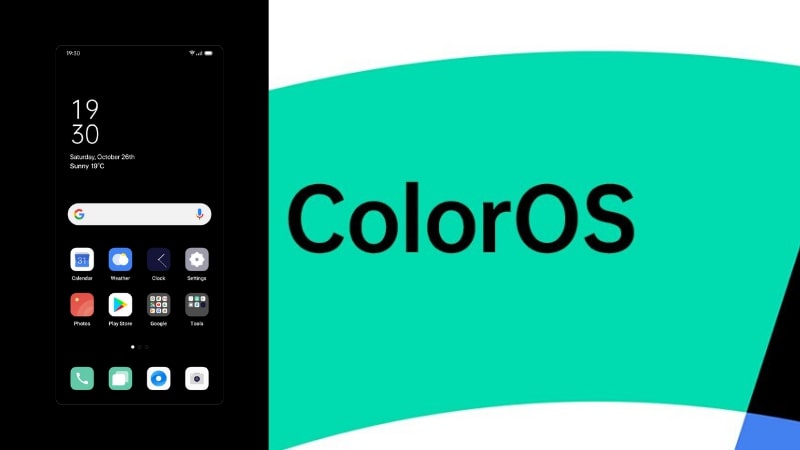
We all know that oppo has it's own customer ROM which is called as ColorOS which is based on Android OS. Every year after Android officially launched oppo also roll out it's OS based on latest android release. In this process now oppo is about to roll out their ColorOS 12 which is based on Android 12. So, let's get into detail and find what oppo is offering to their users with it's latest update.

Design :

=> In terms of design OPPO had made less changed to their design but maintained same design through out the system with minimal UI changes as compared to it's previous iterations. 
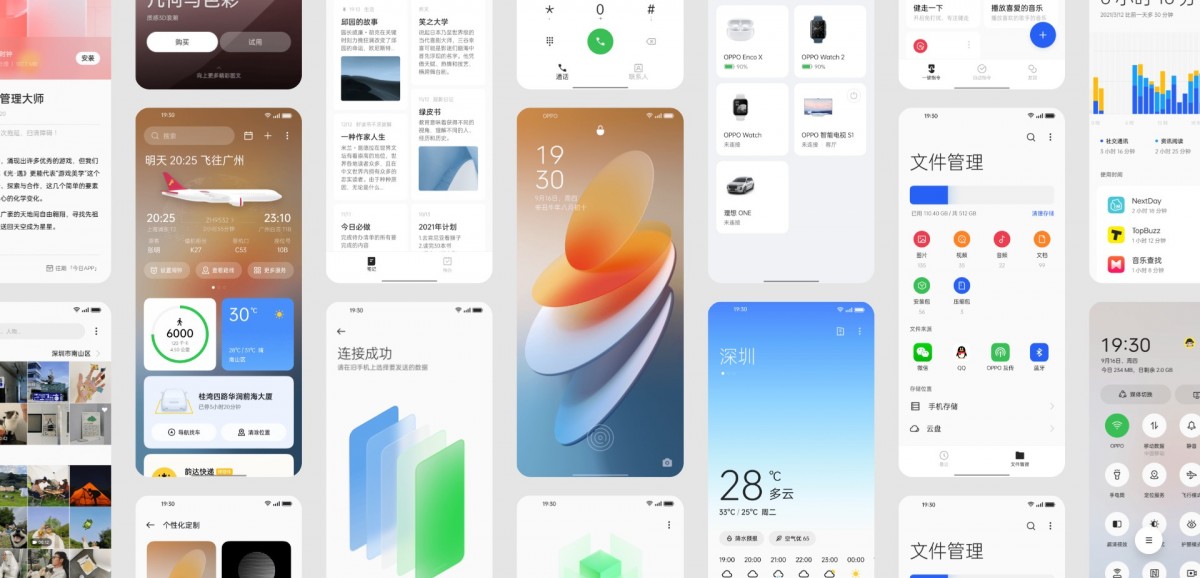

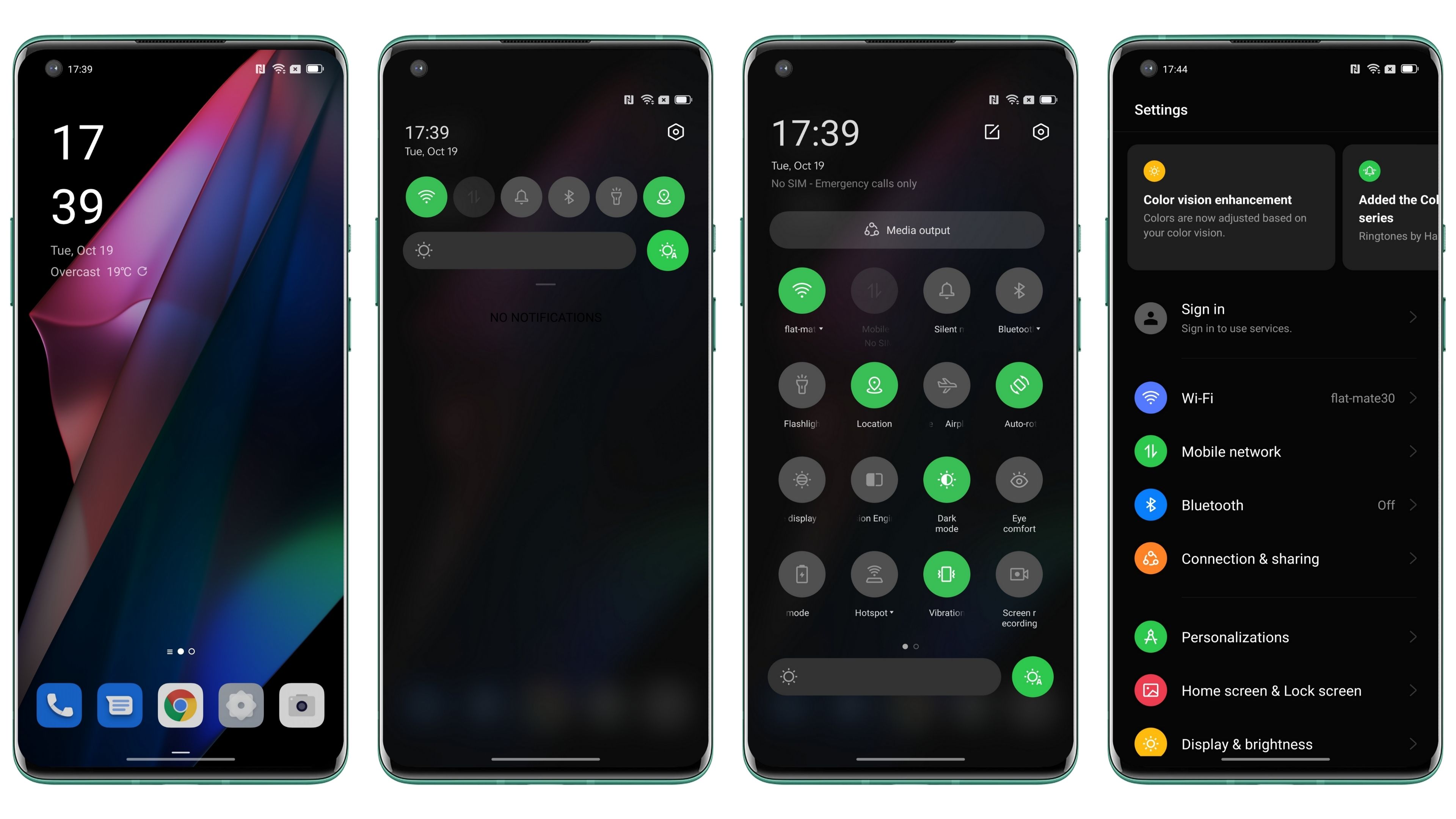
=> ColorOS 12 comes with new translucent 3D app icons for sharpest-ever interface design.  Also animations remain a big part of using device, ColorOS 12 brings with it a new animation engine that oppo has promised to be something different. The company claims the new engine utilizes the law of inertia, so they don’t stop suddenly and feel smoother. the animations in certain areas have improved. 


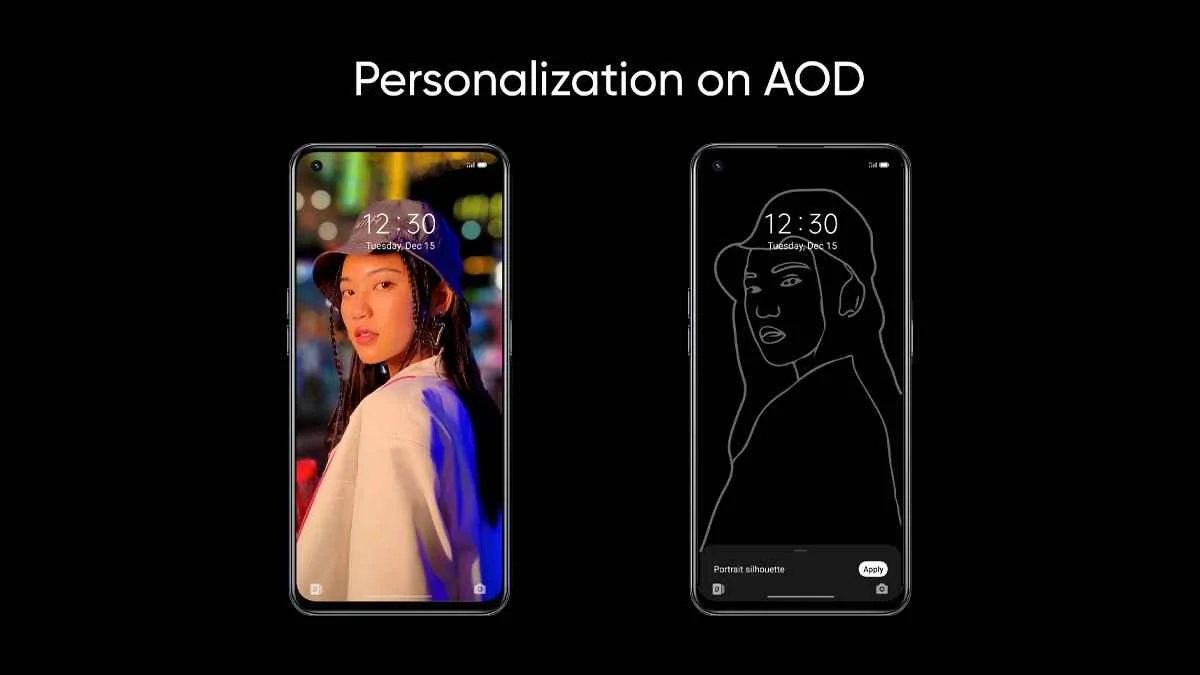
=> Always-on Display 2.0 is now more customizable than ever. Users can Create and place unique Omoji's, text, patterns, colors and information with complete flexibility. Also this version introduced Portrait Silhouettes which takes an image and creates an artistic outline for you.


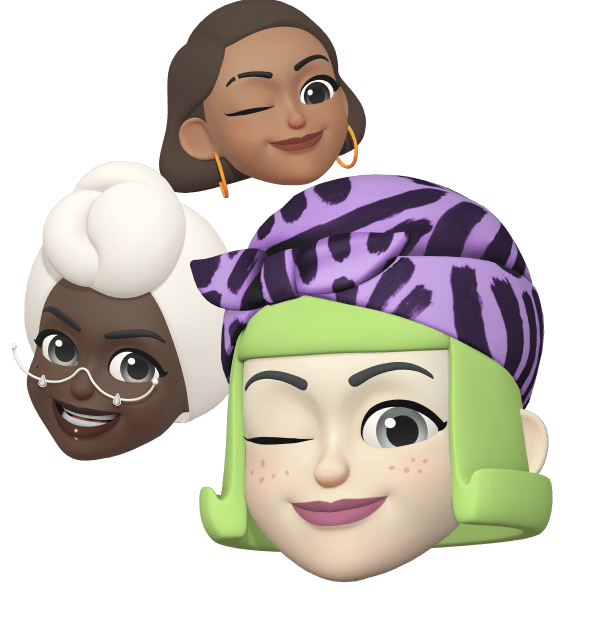
=> Omoji, which is OPPO verison of animoji which comes with Advanced face capture algorithm that uses 77 facial feature points and 200+ stylistic elements to render a stylized reflection of users in real-time. Omoji from ColorOS 12 looks more like real than before.

=> Wallpaper Theming : As we all know that Android 12 comes with a newly introduced wallpaper theming engine called Material You. For those who doesn't know, wallpaper theming in Android allows the phone to extract colors from the wallpaper and create a themed palette. Users can then apply this as the phone’s theme across the entire design. ColorOS 12 features wallpaper theming and gives users the option to pick colors from the set wallpaper and creates an entire theme around it which is more comfortable to a user.


Convenient and Efficient :

=> Smart Sidebar, From years oppo is upgrading it's smart sidebar and now it is able to translate integrated with Google Lens, translates from foreign languages into your own with just a tap, with up to 100 languages supported. It can even translate text in images.
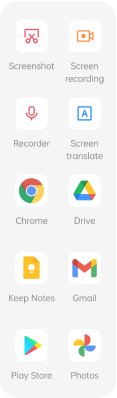

=> Phone Manager, now able to do smart things like optimizing performance and clearing junk without interruption. Extend battery life and expand storage with just a tap.

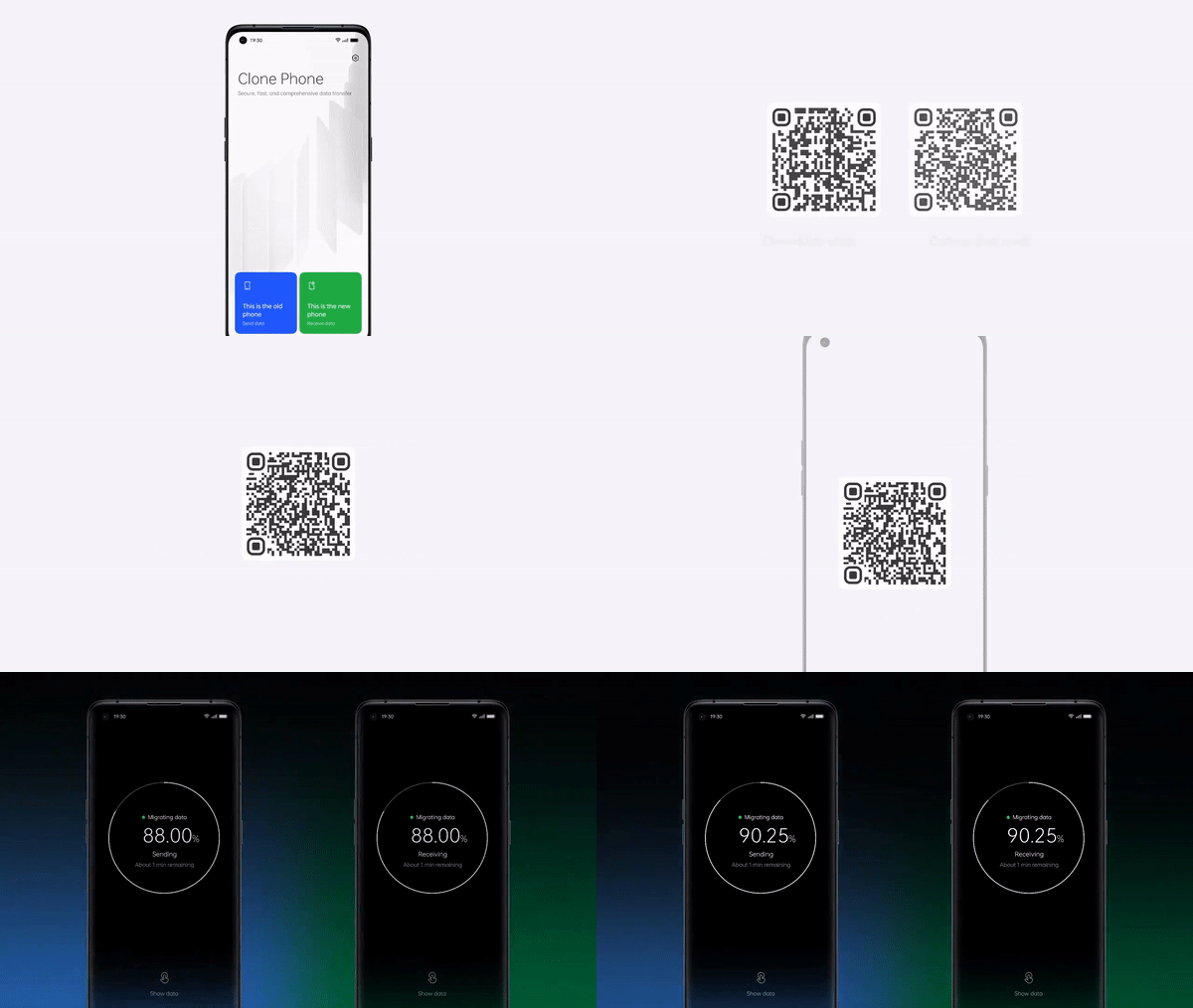

=> Clone Phone 2.0, lets you migrate files, settings and data from your old phone to your new OPPO device with ease. Connect phones and download apps with just one QR code, and receive transfer status and system overheating notifications while transferring data.


=> Air Gestures, You can Answer calls or scrolls through select apps with the wave of a hand. Air Gestures lets you control your phone at a distance, keeping your hands free while you’re multitasking.

=> Adaptive sleep, ColorOS 12 uses facial recognition to detect when you’re viewing your phone screen, preventing it from dimming or going to sleep. No more manual refreshing.

=> Bubble Animations allow users to instantly and intuitively switch between conversations without opening the messaging app on full-screen.

=> ColorOS 12 comes with redesigned Media Player

=> Conversation Widgets provide quick access to chats, so you can converse from the home screen without opening up an app.

Privacy & Security :

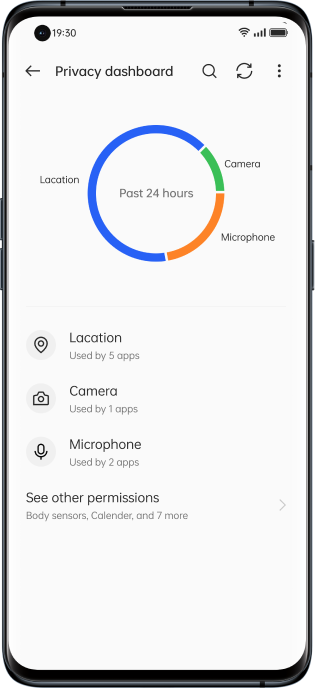
=> Privacy Dashboard, Manage all permissions easily with a clear overview in the privacy dashboard. Finding an app too invasive, or want to give more access? ColorOS 12 puts you in admin seat.
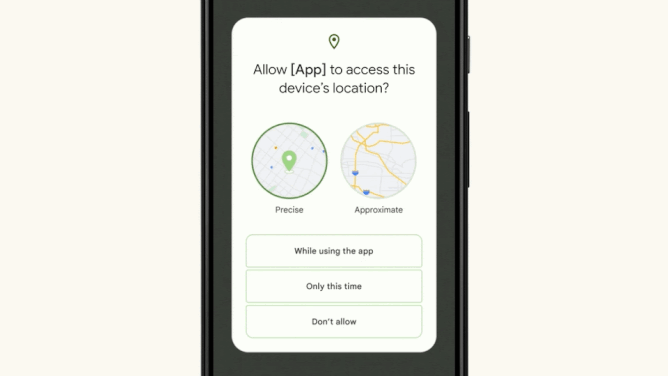
=> Approximate Location Sharing, When an app requests location information, you can choose to share only your approximate location.


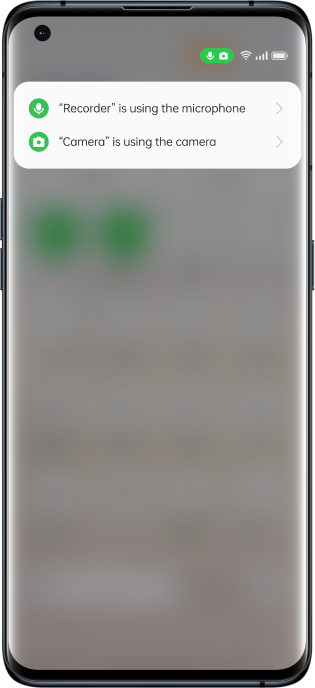
=> Microphone and Camera Indicators and Toggles, Stay on top of your privacy, ColorOS 12 gives you instant icon prompts whenever an app wants to engage camera or mic which is from native Android 12. You can turn them on or off any time.

Connectivity :

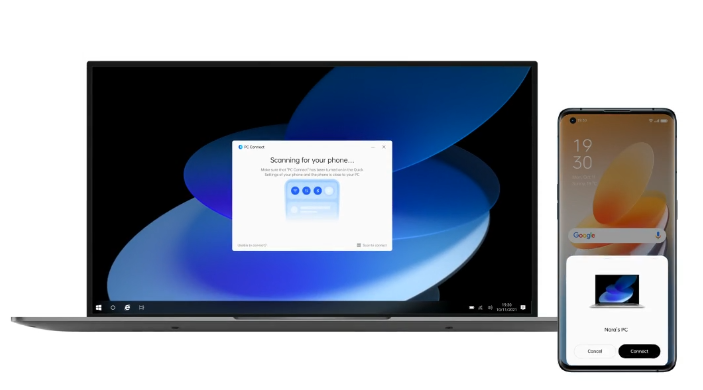
=> PC Connect, oppo Introduced PC Connect—one brain across multiple screens for easy sync. Make your day-to-day fluid and flexible with shared notifications and clipboards. Want to edit your files and then move easily between devices? With PC Connect, it’s as simple and instant as drag-and-drop.

=> Nearby Share, lets you quickly share Wi-Fi passwords with friends and trusted devices using only a single tap.

=> Restore experience in Setup Wizard, Switching to a new device? Restore your wallpapers and personal settings in a matter of moments to keep your digital life looking and feeling familiar.

User Experience :

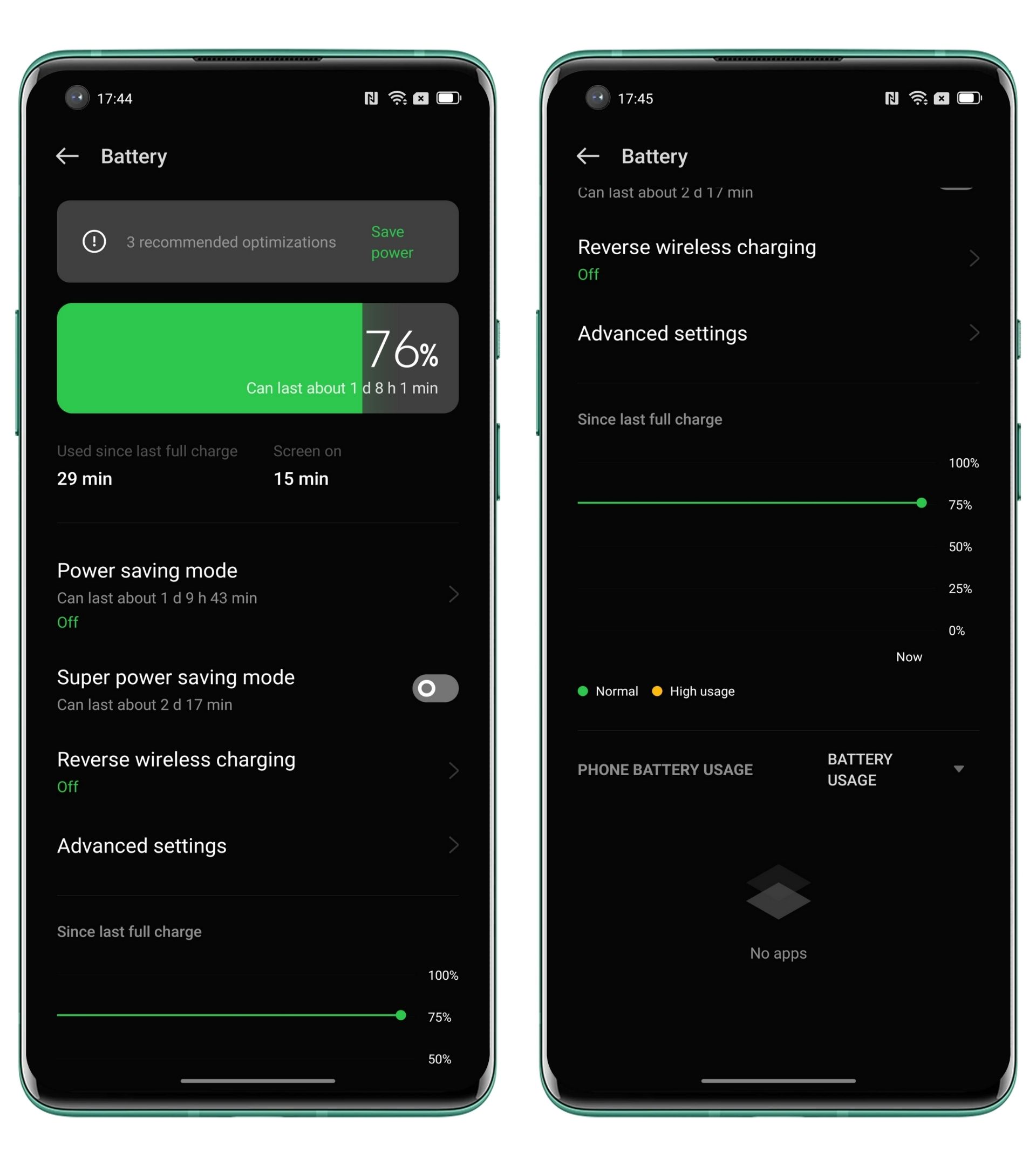
=> Visualized Battery Dashboard, Stay on top of your power usage with the battery dashboard. This display gives you a visual overview of your phone’s power consumption, so you can time your next charge to perfection. With one-tap battery power saving. Detect and disable the thirstiest apps to keep your phone active until its next charge.

=> AI System Booster, By focusing CPU power on apps in-use, AI System Booster ensures maximum system responsiveness at any one time, even as you move at speed between apps and tasks—for smoothest-ever performance from your OS. Release 30% more RAM ;System Aging Rate is only 2.75% after 36 months of usage

=> RAM Expansion, Keep your phone running at maximum efficiency by activating RAM Expansion at the first hint of slowdown. This will convert part of your free storage into RAM, prolonging peak performance.


=> Quantum Animation Engine 3.0, With this enjoy hyper-smooth responsiveness-to-touch with screen interaction that virtually mirrors real-world physics. Every scroll, app or widget interaction is designed to feel as natural as possible.

Gaming and Sound Technology :

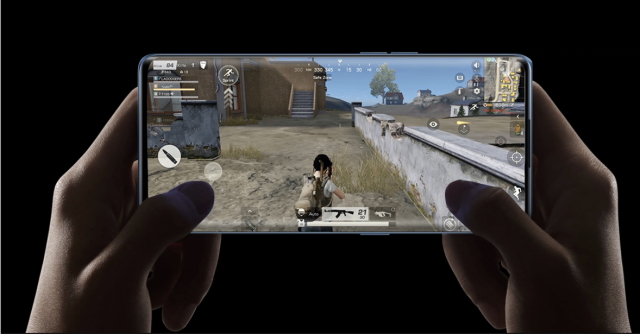
=> Ultra Touch Response, During high-intensity gameplay, a split second can make all the difference. Activate ColorOS 12’s Pro Gamer Mode to enable Ultra Touch Response which gives you an edge in games like shooting games by increasing sampling rate and lowering touch response time.

=> Rotation Lock, OPPO designed to keep your screen orientation fixed so you can game freely, without unintended screen swiveling.

=> Real HD Sound 3.0, Powered by Dirac, ColorOS 12 delivers richer and more immersive sound wider sonic range, hyper-crisp audio performance and a more dynamic sound stage. Consume in crystalline HD whether you’re listening via Bluetooth, aux or your phone speakers, and enjoy tailored sound for different activities gaming, watching films or streaming music.

=> GPA 2.0, ColorOS 12 is engineered for no-compromise gaming performance. The General Performance Adaptor makes for a stable playing experience, regulating your phone’s workload to maximize frame rate, temperature and overall efficiency.

Additonal :

=> Soloop-Face Stickers, With this you can go cartoon mode. Spice up your videos by adding movement-tracking stickers to faces.

This what oppo is going to provide to their users, check when you can get the update from here.

Above information content and pictures courtesy : OPPO


That's for the story, If you have any word for us kindly let us know in comments or in our social handles.

If you own an OPPO Mobile, the software you use on it is called Color OS. This is an Android “skin” proprietary software customization that goes over stock Android. OPPO’s software also appears on Chinese OnePlus phones (Oppo, Relame and OnePlus are sister brands under the BBK banner) starting for Oneplus 9 Series it is pre-installed OS for oneplus mobiles. Previously, it appeared on Realme mobiles too, but now they are developing their own skin named Realme UI.

Oppo is one of the largest smartphone brands in the world, so its skin appears on millions of devices. If you’ve never used an Oppo phone before, you might be wondering what it’s like. Even if you already own one, you might want to know more about it. Either way, you’re in the right place! We’re going to give you a ton of useful information about the software here.

Oppo’s Android skin is very, very different from stock Android. Google’s Pixel UI, OnePlus’ Oxygen OS, and even Samsung’s One UI all keep the general feel and look of Android throughout the operating system. But oppo leaves almost nothing untouched. It’s a wildly different experience.

As one would expect, this makes Color OS a little divisive. Some users really enjoy its colorful, cartoonish feel and appreciate the wealth of features it offers. Others don’t like how drastically Oppo changes Android and find it clunky and confusing.

Do note that, in the future, Color OS and OnePlus’ Oxygen OS will merge together. This will create an as-yet-unnamed unified operating system that will appear on all OnePlus and Oppo phones. However, for this article as it stands now, we are focused solely on the unique version of Color OS that exists prior to that future merger.

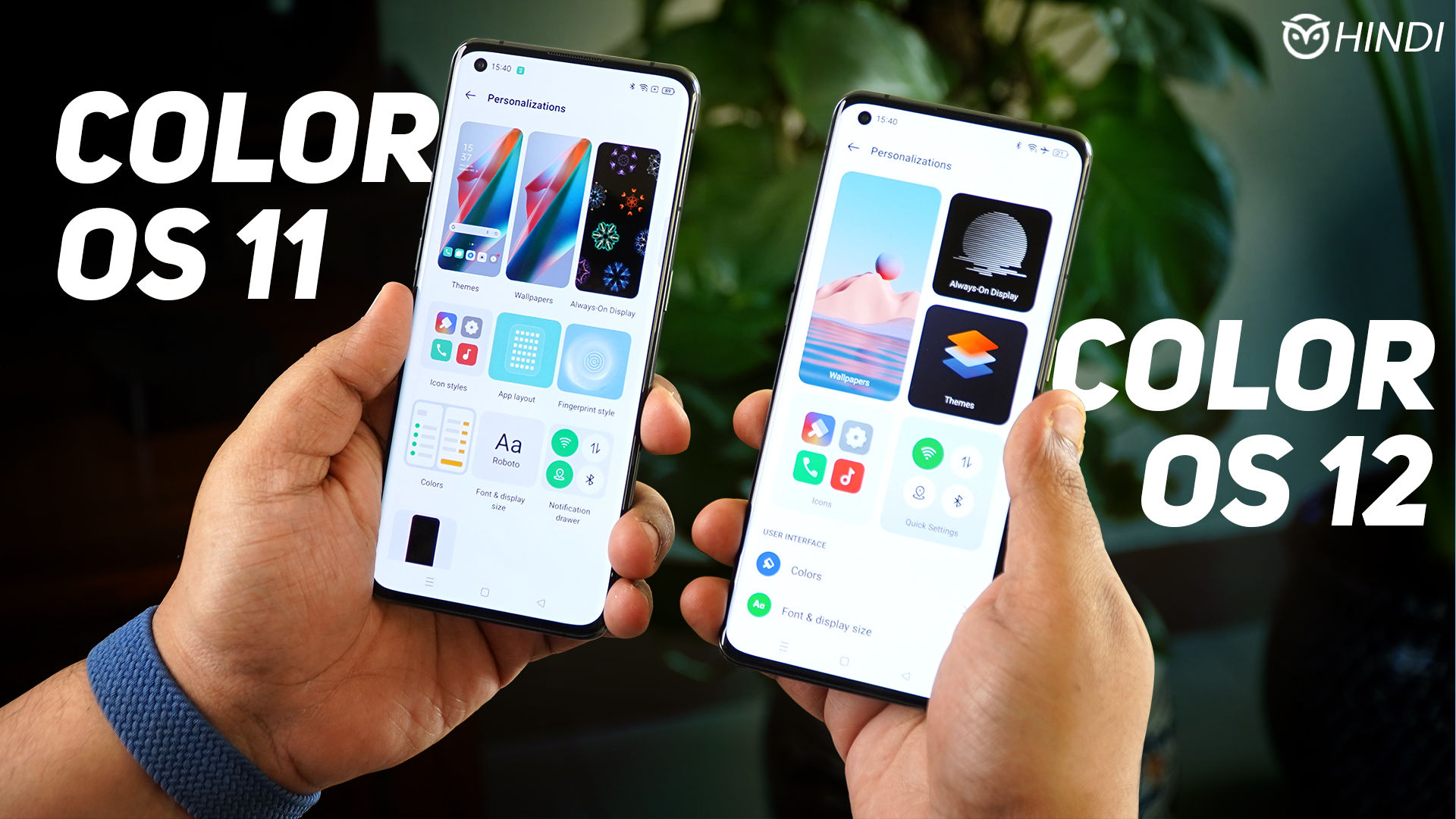
Oppo has become quite fast at delivering updates to its smartphones. The company launches a lot of phones around the world, and some phones get more/faster updates than others. However slowly or quickly it happens, though, phones get updates As of now, most of the phones oppo’s released in the past year or so are on the latest version of the software, which is Color OS 11. As the name suggests, it is based on Android 11, which launched in 2020.

How to check your version and for updates using Color OS

If you don’t know which version of Color OS is on your Oppo or Chinese OnePlus device, you can easily check. Conveniently, these steps will also check to see if there’s a software update. Here are the steps:

Head to Android Settings by finding the shortcut in your app drawer or notification shade.

Scroll to the bottom of the list and tap on the Software Update section.

Your phone will automatically check for an update.

Once the check is done, it will tell you your current Color OS and Android version number. The information appears under the software logo.

If your software is up-to-date but you don’t have the latest version of Color OS, that means your phone hasn’t received the update yet. It’s also possible your phone is too old to get new updates.

A brief history of Color OS

The first version of Color OS launched in September of 2013. Oppo had released plenty of Android smartphones before then, but the software on those devices didn’t have a proper title. It wasn’t stock Android, but Oppo didn’t label it as Color OS. Color OS 1.0 was based on Android 4 Jellybean.

Over the years, Oppo launched new versions of its Android skin alongside new official versions of the operating system. In November 2019, the company made things quite confusing by announcing that Color OS 6.7 would jump to Color OS 8. It even launched installable versions of this software. Eventually, the company scrapped this plan and jumped to Color OS 7.

To make things less confusing, in 2020 the company revealed that it would adopt the same numbering scheme as mainline Android. As such, Color OS jumped from v7 to v11 with the launch of Android 11. This year, we’ll see Color OS 12 launch based on Android 12.

As mentioned earlier, Oppo’s Android skin also appeared on phones from its sub-brand Realme. However, in 2020, Realme stopped this practice and released its own skin known as Realme UI.

The best unique features of Color OS

Every Android skin out there puts its own stamp on the software. Here are four things Color OS can do that most other skins can’t:

Three-finger translate

It’s easy to use Google Translate or Google Lens on your smartphone to convert text to your native language. However, to do that, you need to stop what you’re doing, open up those apps, navigate to what you want to translate, and make it happen. With Color OS 11, though, you can simply swipe three fingers down the screen, wherever you might be. This captures a screenshot. Once that happens, you just tap the translate button that appears, and boom, the text is translated using the power of Google Lens. This can save you some time!

Home screen transitions

With most smartphones, the animations that happen when you slide around your home screens are pretty standard. With Color OS, though, you can customize this very easily. “Roll” makes it seem like you are turning a scroll as you move to the next screen. “Cube” makes it seem like your home screens are panels of a large box and you are moving from one side to another. There are other choices too, like “Flip,” “Card,” and “Tilt.” You’ll need to try them all to figure out which one works best for you.

Customizations

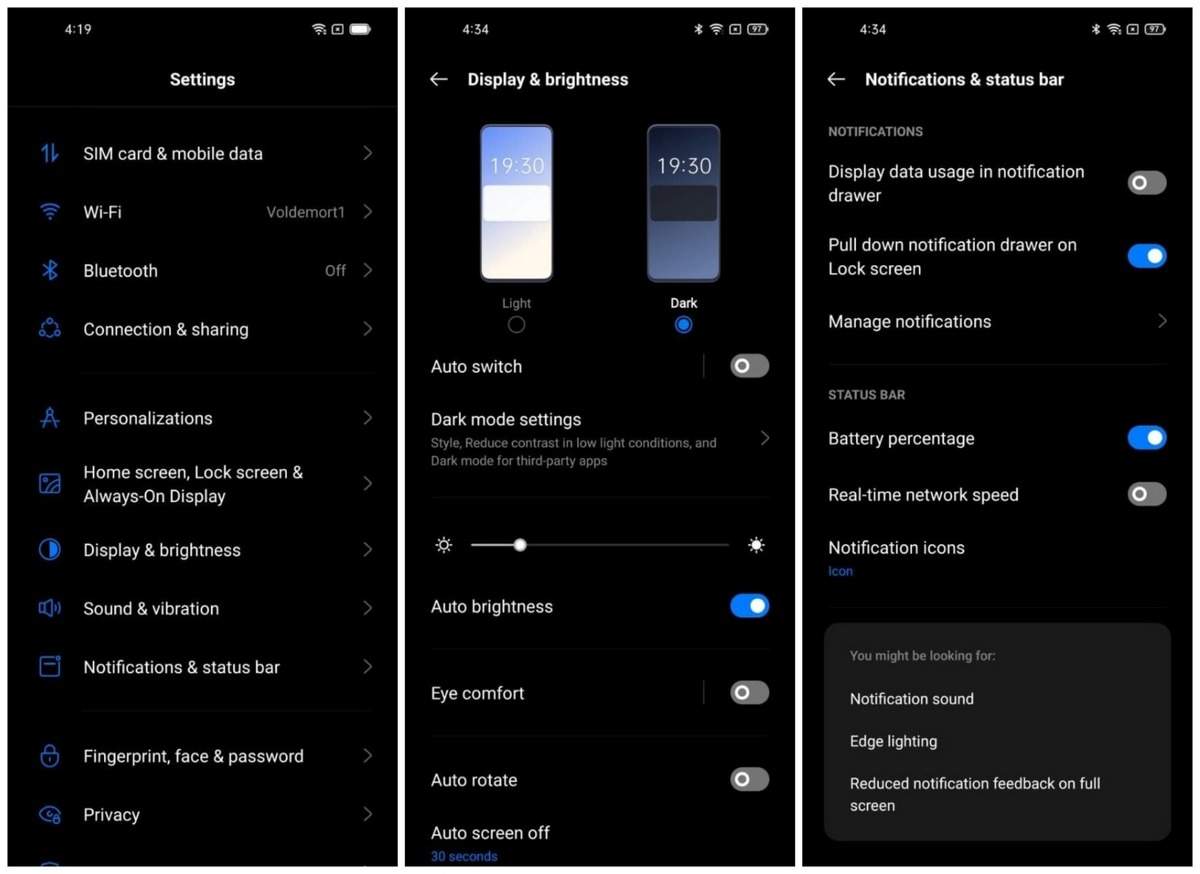
Color OS offers a wealth of customization options. You can do basic things like changing your system-wide font, colors, sounds, etc. However, you can also create your own system elements. For example, you can make your own ringtones using touches and swipes on a colorful controller (no music experience is necessary). You can even use similar systems to create your own wallpapers and always-on display (AOD) designs.

O Relax

An app that comes pre-installed on many Oppo phones is called O Relax. It features white noise sounds from various sources that you can choose to play for a certain length of time. Ocean waves, ambient noise from various worldwide cities, rainstorms, and even synthetic creations like “space travel” are all on hand. Sure, you could download other apps that do this, but it’s neat that this comes ready to use out-of-the-box from Oppo.

Now a new version of color OS which is named as Color OS 12 in in roll out process you check the rollout plan details in this link


That's it guys, Hope you find information useful. Let us know your views, requests in comment section below. Support us and if you like content promote us.

Older Posts

Subscribe To

Posts
Atom
Posts
All Comments
Atom
All Comments

Follow us on

Popular Posts

  • IOS 15 : All you need to know about Apple Mobiles New Operating System
      A s we all know that IOS is the exclusive operating system developed by and used by Apple Mobiles  now as per the annual update we have IO...
  • Process to get Early Access to Task Mate app in India
      Here is how to get Access to Task Mate app : All you need to know about Task Mate app in India      As per reported information Task Mate ...
  • Hidden Features, Tips and Tricks of Facebook
       Hidden Features Of Facebook You Must Know   Facebook: is the social media platform everyone uses, but just don’t lay behind in social med...

Labels

Android (3) Android app (6) Color OS (2) Early-Access (1) Funtouch OS (1) Gadgets (2) Harmony OS (1) How to Guide (8) IOS (4) IOS app (4) MI UI (1) New Releases (10) One UI (2) Oxygen OS (1) Rumoured (3) Tech News (12) Updated Notes (4) Windows 10 (4) Windows 11 (6)

recent posts

Blog Archive

  • ▼  2022 (66)
    • ▼  February (29)
      • Feb 12 (1)
      • Feb 11 (1)
      • Feb 10 (2)
      • Feb 09 (5)
      • Feb 08 (2)
      • Feb 07 (2)
      • Feb 06 (2)
      • Feb 05 (2)
      • Feb 04 (1)
      • Feb 03 (1)
      • Feb 02 (4)
      • Feb 01 (6)
    • ►  January (37)
      • Jan 31 (3)
      • Jan 30 (2)
      • Jan 29 (4)
      • Jan 28 (4)
      • Jan 27 (11)
      • Jan 26 (5)
      • Jan 25 (8)

Created with by TechEra