• Home
  • Mobile
    • OS
      • Android
      • Apple IOS
      • One UI (Samsung)
      • Color OS (OPPO)
      • Funtouch OS (Vivo)
      • MI UI (Xiaomi)
      • Harmony OS (Huawei)
      • Oxygen OS (Oneplus)
    • New Releases
    • Gadgets
    • Rumoured
    • Update Notes
  • PC
    • Windows 10
    • Windows 11
  • Tech News
  • Apps
    • Android
    • IOS
    • Early Access
  • How to Guide
  • More
    • About us
    • Contact us
    • Privacy Policy
    • DMCA
*Welcome Everyone please note that out site has been moved to the New link with dedicated domain you can navigate Click Here to access our site all content will be found there and new content is being posted there as well.
*Click Here to go to New Site

 About Apple's Emergency update : 


Many users choose Apple because of it's Security provided by Company which gives utmost important to user privacy and security. In this Technically Advanced Era anytime any device may effect with unknows flaws in it. Likewise Apple devices have some flaws too but every time apple acts fast and succeed in fixing the issues.

Apple Released iOS 15.3.1 for Mobile devices, iPad OS 15.3.1 for iPads and Mac OS 12.2.1 for PC devices which fixes a critical Webkit zero-day vulnerability.

Apple Stated the details about this update as :


About Issue : 

Webkit is Apple's web Rendering Engine which is used not only used by Safari (Apple's Native browser) but every browser in your Apple device which gives trouble to users which allows attackers to run anything on the device.

Apple also pushed Safari 15.3 update for macOS Big Sur (build number 16612.4.9.1.8) and macOS Catalina (build number 15612.4.9.1.8). The iOS 15.3.1 update also fixes a small issue that could cause Braille displays to stop responding.


As this update is necessary update your devices accordingly to avoid Security Breaches.

New design updates for Whatsapp for iOS are :


We all Know that all service providers need to develop separate applications because one can not use single application file on multiple OS, In short terms One can not install Android apk file in iOS mobile due to compatibility issue so, companies will develop their applications Separately for different OS. In the same way they release updates with some gaps in this Process Whatsapp now testing some feature in their beta Channel and End users may get these features very soon, Let's check what are they :

New Camera UI :

As per WABetaInfo reveal the new camera UI is a part of the latest WhatsApp for iOS beta version 2.22.4.72. It also comes with a couple of minor changes. After new update camera UI won’t showcase the current horizontal media bar, from which a user can choose to upload or send media quickly so that it will show a new button in the bottom left corner, which will direct users to the phone’s Photos app to choose the photo or video they wish to share with others or upload as a Status. 

WBI

You can also see that revamped camera switch icon present in the bottom right corner. This option allows users to switch between rear camera and front camera.

Caption View :

WhatsApp is also testing a new Caption View for iOS users. Caption View will showcase the list of contacts that will be able to see the uploaded Status. It will also allow users to upload media from a given WhatsApp chat as Status. This will be an extension of the current ability that allows users to upload the photos or videos taken from WhatsApp’s inbuilt camera as Status. This feature may take some time as it is under development process.

WBI

Whatsapp likely may push update soon with a global media player for both mobile and desktop users, message reactions, and more...


Here are the Online File Converters of all Formats :

In this technically advanced world many of us may see many files and some files we need to convert one format to the other format for doing this type of tasks many of us will search for tools. So we got your back for your needs we had done some research in online and took the best tools for you. You don’t actually need any tools downloaded on your system,  there are plenty of tools available on the web, So here is the websites which we had short listed for you :

Convert Files :

This is simple file formatting and online file converter tool that has quite a lot of options with a variety of file formats for both input and output files. Using this website pretty easy to use and you can simply upload your file and after converting it to your required format, you can get the file link emailed to you.


File ZigZag :

This website supports all kinds of files like documents, audio, videos, and all and it is an email-based file converter. You will get the converted file to your email address which you can simply download and use. The process is also simple as well.


Online-Converter :

This website for file conversion has a bunch of file conversion options for the users. It allows the users to convert their files into a number of formats. You can actually check whether this website supports the required format conversion for you and then dig into the process. You can actually convert audio, ebook, video, the document image, choose accordingly and then choose the particular format then you will be directed to a new page where you will need to upload your file before beginning the conversion process.


So, Here are the best file converter websites that we shortlisted for you guys, Check them and use them as per your needs.

Here's you can read books for free :


If you love to read books and read a lot of books, From day to day the use and demand of ebooks and reading books online is going to be a trend and in many ways ebooks replaced regular books. If you are mad about reading books you can try Kindle which is an Amazon product, the problem with Kindle is you will free books in very limited and you need to purchase e books through amazon. Here we will are going to tell you about some website which provides you ebooks for free. Here we go now :

 
Project Gutenberg :

With this website you can get over more than 50,000 books, You can find the list of top 100 books on the site that may help you to choose one from the many. You can directly send books to your cloud storage accounts like Dropbox, Google Drive etc.


Planet EBook :

Next in the list is Planet Ebook from this website you can get many books, It has many classic books of old literature we can get them absolutely free. You can download the books as PDF files as well, this one is worth give a try if you love classics.


Manybooks.net :

Last in the list of websites is Many books where you will get a lot of books collections and it allows you to read books online or can even download PDF of the books that you can read later which is very useful to many users.


Story Shots :

If you like to read books a lot but you don't have time to read full books here is the application which comes handy in your mobile, With this android application you can read simplified summaries of many books there. This application worth a try for sure. It is free to read in app and if you want extra value added service you can purchase lifetime access which is very low price.


From these sources you can get almost free ebooks for yourself, check them and let us know if you know best sources like these.


 About Chrome's High Severity Vulnerability issue : 


Chrome is one of the most used browsers in the world. A lot of people use this browser. It accounts for 63 percent of web usage, which is not surprising. And this popularity of the browser also makes it a likely target for attackers to reach a lot of devices at once, at one shot they can infect many Android devices which are highly used in world, The report claims that a number of vulnerabilities have been reported in Google Chrome, which can allow an attacker to execute arbitrary code on a targeted system. The cited source noted that if a hacker manages to exploit the vulnerabilities, then Chrome users may get affected badly. That's why The Indian Computer Emergency Response Team (CERT-In) has issued a warning to those who are using Chrome. The browser reportedly has multiple vulnerabilities that have been categorised as “high severity.”

The agency which found this critical issue had stated the issue as “The vulnerabilities exist in Google Chrome due to the “use after free in Safe Browsing, Reader Mode, Web Search, Thumbnail Tab Strip, Screen Capture, Window Dialog, Payments, Extensions, Accessibility and Cast; Heap buffer overflow in ANGLE; Inappropriate implementation in Full Screen Mode, Scroll, Extensions Platform and Pointer Lock; Type Confusion in V8; Policy bypass in COOP and Out of bounds memory access in V8,”  

People may not feel fear about this because google proactively had released an update by fixing all the issues in chrome.


A new version of chrome which is updated by fixing all the errors was released by google and asking users to check and update the same on High Priority. The new Chrome 98.0.4758.80/81/82 update for Windows and 98.0.4758.80 for Mac and Linux users, The update includes a number of fixes and improvements. Users are advised not to use the older version of Chrome, as suggested by the cyber security team. Chrome’s team has reported that the new update fixes 27 security fixes, which also includes the above-mentioned vulnerabilities as well.


People who are using Chrome browser in PC must update your browser on high priority to prevent heavy losses in cyber attacks.

 Best Cloud Storage services for data backup :


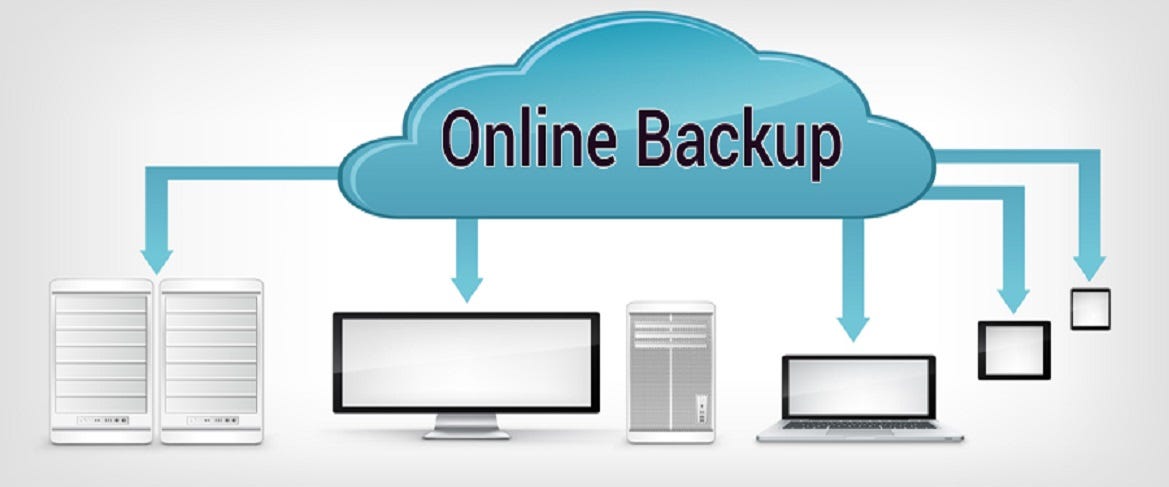
If you have plenty of data which you love and wanted to store them, May be a physical drives may be corrupted in time being. For photos and Videos backup previously google provided it's unlimited storage in google drive but in recent years google withdrawn that feature and limited overall storage to 15GB of it's drive storage capacity. Here we have hand picked some cloud storage service which you can use as backup of your data, Let's get into details now :

Google Drive :

Many of us know this in which google will provide us 15GB cloud storage for each mail id registered with google. It offers a desktop client to upload files easily and also you can configure auto backup as well. You can use the same in mobile application as well and you can share your data with specific people if you wish for.


Google Drive lets you make a file view-only which prevents anyone from downloading your file. For better control, you can allow/disallow comments on a document and let a file be opened by more than one person at a time. As we discussed earlier google provides 15GB storage only later you need to subscribe by buying the plans. you can use this service on iOS, Android, Windows, and macOS.

Dropbox :

Next in the list is Dropbox which is widely consider as one of the best cloud storage services. It offers mobile and pc applications with lot of features, where you can backup easily and also you can manage easily. Best part about it is it's ability to edit Microsoft Office files right from inside your browser using Microsoft Office Online. Dropbox also works with a wide range of apps and services including Zoom, Slack, Adobe Creative Cloud, Asana, and more. So that you can use it to work in sync with your colleagues.


Dropbox only offers 2GB free data storage and to increase storage you need to buy it's subscription. you can use this service in iOS, Android, macOS, Linux, and Windows.

Mega :

Mega is also one of the best option when it comes for cloud storage and it works with end to end encryption security for it's services, it also comes with an integrated chat to let you exchange messages and share files with enhanced safety. Simply you can use a browser to view and manage your files. With a simple interface and useful file management tools, it lets you keep everything organized as you like. 


You can get Mega services with 20GB storage for free and if you want to increase the storage you can buy their plans. You can access Mega on iOS, Android, macOS, Linux, and Windows.

One drive :

Many of know that Microsoft have wide range of products among then Onedrive is also one of them, If you want a storage works best with office online this is the one which you can work on office online and save on drive with ease. With the desktop app, you can easily transfer files and folders of any type. It allows sharing both files and folders with the non-registered users. You also get option to grant full editing privileges or viewing only permissions based on your needs. You can choose to share password-protected or expiring sharing links. 


You can get 5GB free cloud storage with this service and you need to buy it's plans to increase storage. you can get this service on iOS, Android, and Windows.

iCloud :


iCloud has the best part about it is the seamless integration with iDevices including iPhone, iPad, and Mac. it’s able to back up and sync your data more smoothly than any other service do to an apple device. You need to upgrading to the iCloud+ version which let you unlock some notable features including Hide My Email and Private Relay along with increased cloud storage that it's free 5GB storage. Apple also offers temporary free iCloud storage (iOS 15 or later) to let you back up your data and restore it later. Times when you may want to erase and restore your device from a backup, it will come in super handy.


iCloud comes with 5GB free storage and you need to subscribe to it's premium service to get more storage. This service supports iOS, macOS, and Windows.

pCloud :

pCloud has long been a trusted cloud storage service, pCloud provides you the desired flexibility to store and manage your files. It comes with both mobile and desktop apps. It allows you to share files and folders with non-users. That means even if someone is not using pCloud, they can view your shared files. It also lets you download folders as a ZIP archive which can come in super handy for keeping the space tidy and making file sharing convenient. It even allows you to create upload links for folders so that anyone can send files to your account. There is no file size limitation, which is yet another plus. And when you add the multimedia streaming option, pCloud gives a great service.


You get these service with 10GB free storage limit and you can increase limit by purchasing their services and this service works on iOS, Android, macOS, Linux, and Windows.

Box :

Box ensures you have enough space to accommodate important files and photos with advanced security controls and intelligent threat detection, it has got all the tools to offer the much-needed shield to your files. Integrated with several productivity-centric services including Google, Zoom, and more, Box allows you to open, edit, and save files right from one spot. Another feature that makes it a preferred choice for professionals and businesses is the seamless e-signatures. You can sign business documents like offer letters and sales contracts with ease.


You will get 10GB free storage limit with this service and you can pay for increased storage limit. You can use this platform on iOS, Android, macOS, and Windows.

Sync :

Sync is designed to offer a simplified cloud storage experience. In terms of managing files, Sync is highly flexible. Depending on your needs, you can create shared folders and allow other users to interact with them. It allows you to share files with anyone, irrespective of whether or not they are a Sync user, with password-protected shares, Sync prevents unauthorized access. To keep some of your personal files under the wraps, you can create Vaults and store sensitive files inside. It backs up your docs in real-time and offers a straightforward way to restore your data. It’s a fully-equipped cloud storage service that you would like to have at your disposal.


You will get 5GB free cloud storage and you can increase limit by purchasing their plans. You can use this platform on iOS, Android, macOS, and Windows.

Jumpshare :

Jumpshare features a modern-looking interface that feels snappier. The highlight of this service is the built-in screen recorder that allows you to record your screen as a video or GIF. You can use the recording with webcam, drawing, and audio to enhance your presentation. Plus, it also provides handy annotation and markup tools to help you share your heads with better control. Though the 250 MB upload limit per file is a disappointment, Jumpshare more than just covers the ground by offering a host of proficient file management tools.


You get 2 GB of free space, you can increase the total storage up to 18 GB by referring friends to join and you can buy their plan as well which is expensive. You can use this service on iOS, macOS, and Windows.


That's it guys, check and choose your suitable platform wisely. If you have word for us let us know in comments or get connected in out social networks and messenger groups as well.

App for every info regarding aftersales service :


Xiaomi one of the Leading Smartphone brand had come up with a special application which will help their users to get to know the details regarding their Xiaomi Products after sales service and book a demo as well, They named it as Xiaomi Service + . 


Application offers a range of support services such as device repair, price quotations, live chat assistance and others. Customers can avail all of them from the comfort of their homes with just a few clicks. App has ability to book repair requests for all Xiaomi devices, installation and demos. It can also be used to locate the nearest service center to get onsite or walk-in services.


Once user downloaded the app and signed into the app, User can add their Xiaomi devices, Once user added all their products then listed under My Devices menu along with the date of purchase. The app's listing on Google Play, App includes gadgets such as the Mi Beard Trimmer, Mi TV, Mi Air POP mask, and a USB cable, along with the company's smartphones. 


Users can also use the My Requests section to view repair and installation assistance tickets. There they are listed with the current status like 'Active' and 'Completed' sections and show the date the request was made as well as the token number.


Now the App Available in India, You can download from link above or by visiting Google Play Store.


Hope You guys find this information well, if you have anything to tell us, please use our contact us page in blog or by comments section.


Tools Help in writing Emails :


If you are the person who needs to deals with Emails very often in day to day life mainly in your work. Now a days almost everyone must use their mail apps for writing Email related tasks like Forwards, Replies etc in day to day life. The business use of email isn’t going anywhere soon as a communication tool.  Let me help you guys by introducing some tools which can help you to write better emails.

Here are the Tools list one by one :

Grammarly :

Many of us may seen advertising regarding this already but it is one of the best tool to write emails, Grammarly Chrome extension (You get link by clicking on Name above)  helps you a lot by checking for any grammatical mistakes and errors in your mail and save your time of checking or re-reading / Re-check the mail multiple times before you send it. This is one of the best tools which will definitely help you in sending better emails.


Giphy For Gmail :

As we are in Internet we all know about GIFs, With help of this chrome extension you can easily include the human emotion in your emails. As per News Meta has taken over Giphy, So you can have many more updated GIFs in future which you see in facebook and Whatsapp.


three.sentenc.es :

This is the different one, if you visit it site it may seems like an error page but if you clearly see you can see a TEXT BOX in which you can verify your grammatical mistakes, It will help you efficiently. Just give it a shot.


Briskine: Email templates for Gmail :

Here is the another tool which helps you to write emails efficiently and you can have many Email temples available with this chrome extension, Do check once and Excel in writing emails.


That's for the story guys, All we need is your support, share the posts you like and let us know if need any articles and if need any changes required in our content, you can reach us by contact us page in blog or in comments section as well.


Samsung is confirmed it's next launch and first launch in 2022. From many weeks many rumors are speculated about this event and also about Samsung galaxy S22. After weeks of speculation and rumors that didn’t pan out, we finally got conformation regarding the launch date for the Galaxy S22 series. As confirmed by Samsung itself, the first Samsung Galaxy Unpacked of 2022 will happen on February 9 at 10:00 AM ET.


As per Samsung information this launch will be completely virtual and live-streamed for free to the public. You’ll be able to watch on YouTube and also on Samsung.com, among other places. 


Along with the Samsung Galaxy S22 series, we also expect to see the Samsung Galaxy Tab S8 series at this launch. Samsung could also launch a few other hardware products as well as new updates to its One UI software.


Team Android Authority Commented that :-  “The Epic Standard” looking like handwriting. This is likely a reference to the Samsung Galaxy S22 Ultra. That device should have an S Pen and a slot in which to store it. That would make the Galaxy S22 Ultra a pseudo-follow-up to the Galaxy Note 20 Ultra and a workaround to the Note line’s end.


That's for today guys, if you have views, suggestions comment box is all yours. your suggestion is always appreciated.


As we already discussed about a rumor that Indian government in planning to develop an App Store for Indians, As per latest news the government is planning to come up with a policy that will facilitate an ecosystem for the industry to create an Indigenous operating system as an alternative to Google's Android and Apple's iOS, Union Minister of State for Electronics and IT Rajeev Chandrasekhar said.


As per current Scenario mobile phone Industry is dominated by two operating systems - Google's Android and Apple's iOS that are driving the hardware ecosystem as well according to their neural engines and software's.

Mr.Chandrasekhar said that "There is no third one. Therefore, in a lot of ways there is tremendous interest in MeitY and in the Government of India to even create a new handset operating system. We are talking to people. We are looking at a policy for that,"

He said that the government is looking for capabilities within start-up and academic ecosystems for development of an indigenous operating system (OS). The operating system is the main software of any computer and mobile device that weaves in the entire hardware and software system for effective functioning of the OS.

Also Said that "If there is some real capability then we will be very much interested in developing that area because that will create an alternative to iOS and Android which then an Indian brand can grow,"

The minister said that most of the policies and policy tools are being re-looked at in the context of reimagining goals and ambitions. "Important is to have clear goals. Once we have clear goals and what is that we have to achieve then all the policies and actions will be consistent with it," Chandrasekhar said.


He along with Minister for Communications and IT Ashwani Vaishnav released the second volume of Vision Document on Electronics Manufacturing prepared by the industry body ICEA whose members include Apple, Lava, Foxconn, Dixon etc. The document details a road map for achieving $300 billion (roughly Rs. 22,55,265 crore) electronics manufacturing in the country by 2026 from the current level of $75 billion (roughly Rs. 5,63,820 crore).

Mr. Chandra sekhar also added that "This report is very precise which talks about where USD 300 billion (roughly Rs. 22,55,265 crore) will come, what industry has to do and what the government needs to do. This is an example of how industry and government should set targets for the country. The manufacturing will be USD 300 billion and exports worth $120 billion (roughly Rs. 9,02,195 crore) will happen. This is the government of India's objective now."

At present, India's electronics export is around $15 billion (roughly Rs. 1,12,775 crore). The minister said it is the desire of the Prime Minister and the goal for the Ministry of Electronics and IT (MeitY) to create domestic champions in each of the leading product categories.

"The number of foreign banks have increased in India. For the first time, the stock market and public markets are financing and investing in technology start-ups and companies. That kind of transformation has happened. Today Lava, Dixon, or Boat or any of these companies have the ability to raise capital, equity which they did not have six years ago," the minister said.

India’s objective to develop a home-grown Operating System is in line with PM Narendra Modi’s aim to boost the country’s tech industry. Further details need to be published officially


That's all for now, Let's see what unfolds in future, We have to what name did govt brand to the New OS. Hope you find the information good, let us know your views, suggests in comments box.


We all know that Indian government banned many apps which are tried to collect sensitive data in large number from Indian users data and sent to their servers, In the same way as a part of making the country self-capable, and reliant, India may soon come up with its very own application store reportedly with the name Atmanirbhar (Rumoured). According to the reports of ET Now, this is rumoured but yet to be launched local application store will not levy a 30% cut for hosting the apps. We still have to wait and see for official News regarding the same.

According to reports, Ministry of Electronics and Information Technology (MeitY)’s Centre for Development of Advanced Computing (C-DAC) will definitely be responsible for developing this Google play store alternative as they have to preside all these projects. If you are not aware, there already have a government app store called as Mobile Seva. As per reports, government may scale up this existing service for this new initiative, there will be a plenty of chances to develop this existing store into main stream app Store.


Here everyone must know that developing an application store isn’t a really tough task with development team anyone can make it, but attracting developers to host their apps in the app store is the actual task. For technology giants like Samsung and Huawei have taken many years to make most of the popular apps available in their own app stores. If India make official announcement then we can see how many developers may come forward to develop and host their apps in Store.

In any case this rumour becomes a reality (If government release official notice), then it will definitely be an interesting matter to see if this Indian app store gets enough attraction to emerge as a maintstream platform or the go to destination for downloading apps in the country. Hope it will happen and Indians going to get their own app store.


That's it for the story guys, share your views and suggestions in comments section.


Hidden Features Of Facebook You Must Know


Facebook: is the social media platform everyone uses, but just don’t lay behind in social media technology, learn about the hidden features that the social media giant has in store for its users and become a pro. Below are some features of Facebook that you must know and use to become a pro.

Save Posts For Later:

You may find many interesting posts while scrolling through your News feed,But sometimes you may not have time or not able to view total post, if you want to view that post in leisure time, so you can save them to read later without the help of any third party application, just click on the three dot icon of the post and then click on save video or save link and then later when you wanted to view that post, click on the ham burger icon on your mobile app and you can find the saved option on the right side menu of your screen.

Download Your Copy Of Facebook Feed:

If you want to know about everything you did on Facebook through your account. It would be a nice right!, you can actually get a copy of your entire Facebook activity. Just go to your account Settings >> General >> Download A Copy Of Your Facebook Data, click on that option and then follow onscreen steps, That's it, now you have your copy of Facebook activities through a downloaded file, you can go through them whenever you want.

Know What’s Happening In The World:

Just think that you have a map which will show you the locations where the live stream is going, how cool is that ? Don't worry facebook got your back go to following link https://www.facebook.com/livemap/ you can find live stream locations with dots on map and you can simply hover over the dots to get the preview. Try logging into your Facebook account using this link and you will find one of the coolest features of Facebook where you can experience a live and interactive map.

Create A Custom Post:

If you didn't have own blog or something to share your deep ideas which you can't post into the facebook as a post, in that case, you can use of the Facebook Notes option and take a note of your thoughts in your profile. Just go through this link https://www.facebook.com/notes with your account and you can find a plus icon there, just click on it to add your notes. You can also be able to see the notes of the other people that you have been following. So, do try these features the next time and find the new side of Facebook in a Pro Level.

Older Posts

Subscribe To

Posts
Atom
Posts
All Comments
Atom
All Comments

Follow us on

Popular Posts

  • IOS 15 : All you need to know about Apple Mobiles New Operating System
      A s we all know that IOS is the exclusive operating system developed by and used by Apple Mobiles  now as per the annual update we have IO...
  • Process to get Early Access to Task Mate app in India
      Here is how to get Access to Task Mate app : All you need to know about Task Mate app in India      As per reported information Task Mate ...
  • Hidden Features, Tips and Tricks of Facebook
       Hidden Features Of Facebook You Must Know   Facebook: is the social media platform everyone uses, but just don’t lay behind in social med...

Labels

Android (3) Android app (6) Color OS (2) Early-Access (1) Funtouch OS (1) Gadgets (2) Harmony OS (1) How to Guide (8) IOS (4) IOS app (4) MI UI (1) New Releases (10) One UI (2) Oxygen OS (1) Rumoured (3) Tech News (12) Updated Notes (4) Windows 10 (4) Windows 11 (6)

recent posts

Blog Archive

  • ▼  2022 (66)
    • ▼  February (29)
      • Feb 12 (1)
      • Feb 11 (1)
      • Feb 10 (2)
      • Feb 09 (5)
      • Feb 08 (2)
      • Feb 07 (2)
      • Feb 06 (2)
      • Feb 05 (2)
      • Feb 04 (1)
      • Feb 03 (1)
      • Feb 02 (4)
      • Feb 01 (6)
    • ►  January (37)
      • Jan 31 (3)
      • Jan 30 (2)
      • Jan 29 (4)
      • Jan 28 (4)
      • Jan 27 (11)
      • Jan 26 (5)
      • Jan 25 (8)

Created with by TechEra